
AOC 27 Gaming Monitor QHD 240Hz Overclocked IPS NVIDIA G-SYNC Q27G41ZE
4.6Editor score
27 inch QHD IPS display
240Hz refresh rate
Adaptive Sync support
Compare the top 1440p gaming monitors at 240Hz featuring IPS OLED and QD OLED panels for competitive gaming performance and visual fidelity.
Finding the right display for competitive gaming requires balancing speed and clarity. A 1440p gaming monitor at 240Hz offers the sweet spot for immersive visuals without sacrificing refresh rate. These panels deliver sharp details in fast-paced shooters while maintaining fluid motion that keeps you ahead in matches.
We evaluated leading models based on panel technology response time and adaptive sync support. Our list includes IPS QD OLED and OLED options tailored for different budgets and setups. Each pick emphasizes low latency accurate colors and reliable performance for serious gamers who demand consistency.
Every entry showcases key specs pros and cons to help you decide quickly. We focus on real-world gaming traits like motion clarity and stand adjustability. Note that availability and pricing fluctuate frequently so verify current details before purchasing to ensure you get the best value for your setup.
4.6Editor score

4.3Editor score

4.6Editor score
This side-by-side comparison highlights the core specifications and standout traits of each model. We focus on panel type refresh rates and connectivity to help you visualize differences quickly.


The AOC Q27G41ZE stands out as a top budget option for competitive gaming. It delivers a crisp 27 inch 1440p IPS panel with a blistering 240Hz refresh rate for fluid visuals. Reviewers praise its clarity and motion speed making it ideal for fast-paced titles.
We may earn a commission when you buy through this link, at no additional cost to you.
Its 0.3ms MPRT response time minimizes blur during rapid movement. Adaptive Sync ensures tear-free gameplay across AMD and NVIDIA GPUs. The frameless design enhances immersion and the OSD lets you tweak modes for different game genres easily.
While brightness is moderate compared to premium models it works well in lit rooms. The tilt-only stand limits ergonomic customization but is acceptable for the price. These trade-offs are minor given the performance it offers.
This monitor fits gamers prioritizing speed without overspending. It balances resolution and refresh rate perfectly for esports. Choose it for reliable entry-level competition and vivid color accuracy.
Motion blur is kept low with its fast response times ensuring clean visuals in shooters.
The tilt adjustment helps positioning though a full stand would improve comfort.
We may earn a commission when you buy through this link, at no additional cost to you.
The Acer Nitro XV272U offers great ergonomics for a budget monitor. Its 240Hz refresh rate via DisplayPort ensures smooth gameplay in competitive titles. The stand provides height swivel and pivot adjustments for custom setups.
We may earn a commission when you buy through this link, at no additional cost to you.
With a 1ms GTG response time motion remains sharp during action. Dual HDMI ports support consoles and PCs. Integrated speakers add convenience though external audio is better for immersion.
HDMI caps at 144Hz which may limit multi-device setups. Contrast is typical for IPS panels lacking deep blacks. These limitations are small compared to its flexibility and affordability.
Choose this for a balance of adjustability and speed. It suits gamers needing a full ergonomic stand. Expect clear visuals and responsive performance for the price.
Multiple HDMI ports enable easy switching between PC and console inputs.
IPS panel ensures consistent color across wide viewing angles.
We may earn a commission when you buy through this link, at no additional cost to you.
The LG 27GR83Q-B delivers consistent 240Hz performance across both HDMI 2.1 and DisplayPort. It shines with vivid colors covering 95 percent of DCI-P3 for rich visuals. The stand allows tilt height and pivot adjustments for optimal viewing.
We may earn a commission when you buy through this link, at no additional cost to you.
G-Sync Compatible and FreeSync Premium ensure tear-free gaming. HDR400 support adds contrast depth though it is not true HDR. Gaming modes optimize settings for FPS and RTS titles directly on screen.
It costs slightly more than basic models but offers superior connectivity. HDR effects are subtle but enhance visuals in supported content. These factors make it a robust choice for versatile setups.
Opt for this if you want future-proof connectivity. It balances color performance and refresh rate well. Expect smooth gameplay and flexible adjustments.
Wide color gamut delivers lifelike visuals for creative and gaming tasks.
DTS Headphone:X enhances spatial audio for immersive headphone use.
We may earn a commission when you buy through this link, at no additional cost to you.
The Acer Predator X27U showcases the appeal of QD OLED panels. It offers infinite contrast and true blacks for cinematic gaming. The 240Hz refresh rate and 0.03ms response time ensure fluid motion with no blur.
We may earn a commission when you buy through this link, at no additional cost to you.
Colors pop with 99 percent DCI-P3 coverage enhancing visual fidelity. The 26.5 inch size fits well in focused gaming setups. ZeroFrame design maximizes screen real estate for immersion.
OLED technology carries burn-in risks though image retention refresh helps. The stand lacks height adjustment requiring a VESA mount for better ergonomics. These concerns are manageable for short sessions.
Ideal for gamers seeking peak contrast and speed. It delivers unmatched image quality in dark scenes. Choose this for premium visuals and responsive gameplay.
OLED panel provides perfect blacks making dark scenes immersive.
Near-instant response ensures clean tracking during rapid movement.
We may earn a commission when you buy through this link, at no additional cost to you.
The KTC H27E6S offers a fresh look with its white finish. Its native 240Hz refresh rate overclocks to 275Hz for faster motion. Built-in speakers and dual HDMI and DisplayPort inputs suit multi-device setups.
We may earn a commission when you buy through this link, at no additional cost to you.
Fast IPS technology keeps response times near 1ms MPRT. Height swivel and tilt adjustments enhance ergonomics for long sessions. The 123 percent sRGB ensures accurate colors for media editing.
Overclocking may require calibration for stability on some systems. Contrast is standard for IPS lacking deep blacks. These issues are minor given its flexibility and design.
Best for those wanting a distinct aesthetic. It delivers high refresh rates and solid ergonomics. Expect smooth visuals and convenient connectivity.
Overclocked to 275Hz it supports ultra-smooth gaming.
White casing stands out in typical black gaming rigs.
We may earn a commission when you buy through this link, at no additional cost to you.
The ASUS ROG XG27ACMG leads with a 270Hz overclocked refresh rate. It combines Fast IPS clarity with USB-C connectivity for streamlined setups. ELMB SYNC reduces motion blur even at high frame rates.
We may earn a commission when you buy through this link, at no additional cost to you.
Its 95 percent DCI-P3 gamut offers vibrant visuals for media and games. AI features help enhance user experience through adaptive tuning. The DisplayWidget Center simplifies settings adjustments via mouse.
The cost is higher than standard models but justified by performance. OSD menus may require time to master. These are acceptable trade-offs for its capabilities.
Choose this for competitive gaming and modern connectivity. It delivers speed and color excellence. Expect fluid motion and a refined user interface.
ELMB SYNC allows blur reduction without disabling adaptive sync.
USB-C supports video data and power in one cable.
We may earn a commission when you buy through this link, at no additional cost to you.
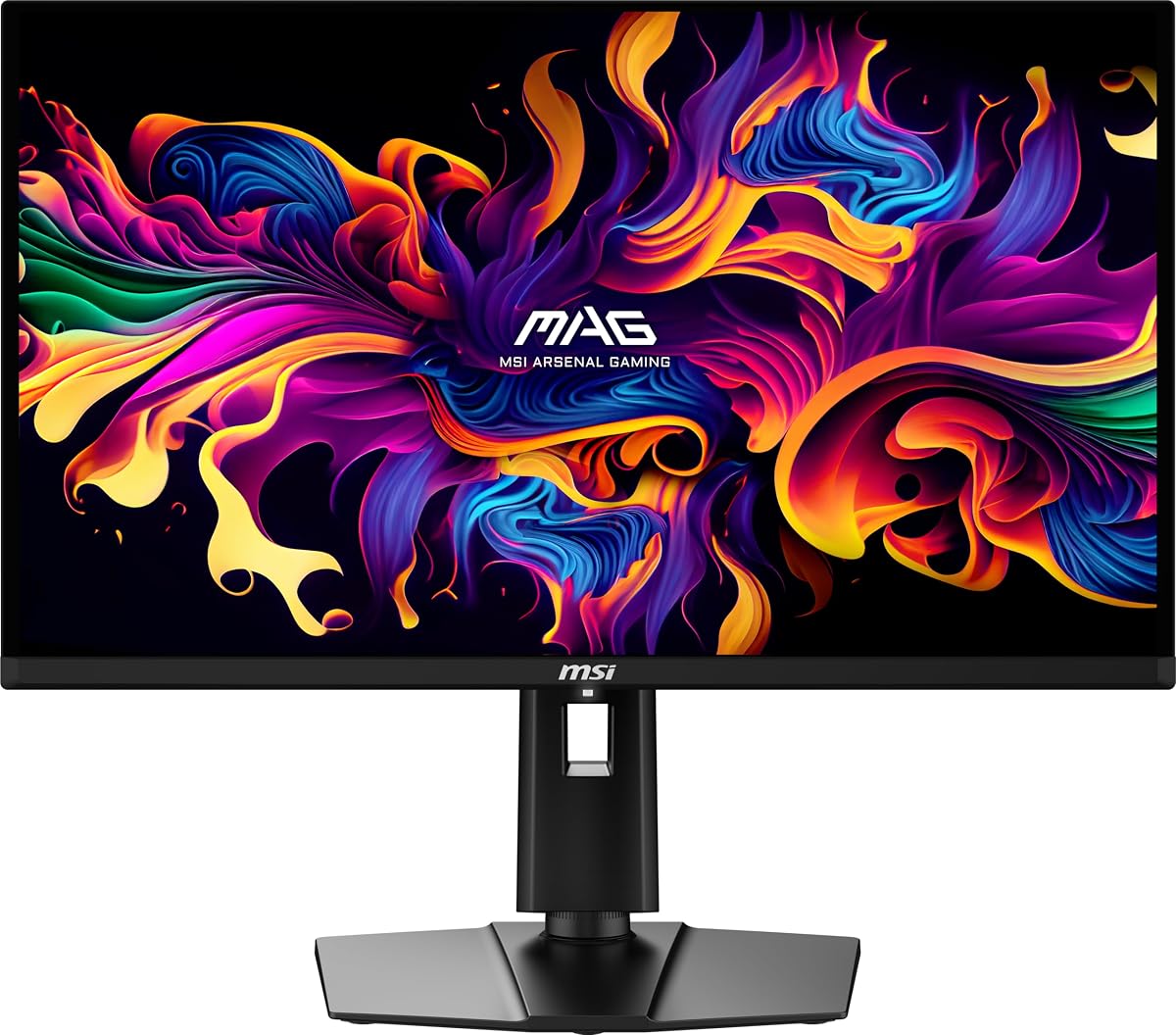
The MSI MAG 274QP sets a benchmark for OLED gaming displays. Its Quantum Dot OLED panel delivers infinite contrast and stunning color fidelity. 240Hz refresh and 0.03ms response ensure fluid gameplay.
We may earn a commission when you buy through this link, at no additional cost to you.
OLED Care 2.0 provides tools to mitigate screen aging risks. AI Crosshair software enhances aim in shooters. The heatsink design ensures silent operation without fans.
Its price reflects the premium tech involved. Careful setup is needed to maintain OLED longevity. These factors are worth it for top-tier visuals.
Best for enthusiasts chasing the best image quality. It offers speed and depth unmatched by IPS. Expect immersive visuals and advanced tools.
Quantum Dot enhances color accuracy and brightness.
AI tools help extend OLED panel lifespan.
We may earn a commission when you buy through this link, at no additional cost to you.
The Alienware AW2723DF features a striking Lunar Light design. Its Fast IPS panel supports 280Hz overclocking for ultra-smooth motion. Nano Color tech enhances vibrance and contrast for immersive visuals.
We may earn a commission when you buy through this link, at no additional cost to you.
Full stand adjustments allow custom ergonomic setups. G-Sync Compatible ensures tear-free performance with NVIDIA GPUs. The 1ms GtG response keeps input lag low.
Its premium price may not suit all budgets. Brightness is good but not best-in-class. These are minor for its build and style.
Ideal for gamers valuing design and speed. It offers reliable performance and vivid colors. Expect smooth gameplay and a unique look.
Lunar Light finish and AlienFX lighting add style.
High refresh supports competitive gameplay effectively.
We may earn a commission when you buy through this link, at no additional cost to you.
The Acer Nitro KG271U provides balanced mid-range performance. Its 240Hz refresh and 0.5ms response ensure smooth visuals. 99 percent sRGB supports accurate color for creative work too.
We may earn a commission when you buy through this link, at no additional cost to you.
Zero-frame design maximizes screen space. FreeSync Premium prevents tearing. The stand adjusts tilt and height adequately for most users.
Contrast is typical for IPS with blacks not as deep as OLED. Stand features are modest compared to high-end models. These trade-offs fit its price tier.
Best for general gamers needing versatility. It offers color accuracy and speed at a reasonable cost. Expect reliable performance for daily use.
High sRGB coverage supports design and gaming.
Basic adjustments suit most setups.
We may earn a commission when you buy through this link, at no additional cost to you.
The MSI MAG 271QPX brings QD OLED clarity to a 27 inch format. It achieves deep blacks and vivid colors with 240Hz speed. A graphene heatsink ensures silent fanless operation.
We may earn a commission when you buy through this link, at no additional cost to you.
0.03ms response time ensures precise motion handling. OLED Care 2.0 helps extend panel life. HDMI and DisplayPort support cover multiple devices easily.
Its cost is high and stand lacks pivot. These are minor compared to its image quality. It is a premium choice for depth and speed.
Ideal for serious gamers seeking top visuals. It offers immersive blacks and responsive performance. Expect fluid gameplay and stunning detail.
Graphene heatsink provides silent thermal management.
QD OLED delivers true black and color depth.
We may earn a commission when you buy through this link, at no additional cost to you.
Choosing the right 1440p gaming monitor involves evaluating panel types refresh rates and ergonomics. This section outlines key factors to consider before buying.
Panel type dictates color accuracy contrast and motion. IPS offers wide viewing angles and consistent color ideal for mixed use. OLED and QD OLED provide perfect blacks and deep contrast for immersion. Consider your lighting conditions and content mix when selecting.
Choose IPS for general gaming and media. OLED for immersive dark scenes. Match panel strengths to your setup.
Refresh rate controls how many frames display per second. 240Hz is the sweet spot for fluid motion in shooters and racing games. Some models support overclocking beyond 240Hz for extra smoothness. Ensure your GPU can drive high frame rates fully.
Prioritize 240Hz for competitive titles. Higher rates help only with powerful GPUs. Check port limits for consistent refresh.
Response time measures pixel transition speed. Low response reduces blur and ghosting in motion. Look for 1ms or lower GTG or MPRT. OLED panels typically excel here. Match response time to game genres.
Select sub 1ms for fast shooters. Slower rates suit RPGs. Verify specs for accuracy.
Adaptive Sync syncs refresh with GPU output to prevent tearing. G-Sync Compatible and FreeSync Premium cover most GPUs. Ensure the monitor supports your graphics brand. This feature stabilizes gameplay and reduces strain.
Check compatibility before buying. FreeSync works with AMD and NVIDIA. G-Sync Certified adds extra assurance.
Connectivity options determine device compatibility. DisplayPort 1.4 supports 240Hz easily. HDMI 2.1 allows high refresh on consoles. USB-C can simplify setups. Ensure needed ports match your hardware.
Prefer DisplayPort for PC. HDMI 2.1 for consoles. USB-C for laptop users.
Color coverage defines gamut breadth. 95 percent DCI-P3 is ideal for vibrancy. sRGB matters for creators. Wide color helps in HDR content. Evaluate for gaming and other tasks.
Pick high DCI-P3 for color games. sRGB for editing. Balance needs.
Ergonomics affect comfort during long sessions. Look for height tilt swivel and pivot adjustments. VESA mounting enables custom arms. A flexible stand saves neck strain. Factor this for daily use.
Choose full adjustability if you move monitors. VESA for custom setups. Prioritize comfort.
Budget dictates panel tech and features. IPS models offer value. OLED costs more. Consider warranties and support. Balance performance with price. Decide based on priorities.
Start with budget IPS. Upgrade to OLED later. Check warranty terms.
Set display settings to native resolution and refresh rate in your OS. Ensure cables like DisplayPort 1.4 are used to support 240Hz. Install latest drivers for your GPU to enable Adaptive Sync. Calibrate brightness for your room to reduce eye strain.
Enable Adaptive Sync in both monitor OSD and GPU settings. Use gaming modes for FPS or RTS to optimize response times. Keep firmware updated for new features or fixes. Clean dust vents to ensure cooling.
For OLED panels enable screen shift to prevent burn-in. Limit static images like taskbars. Use dark mode in apps when possible. Monitor temperature if needed. Regular maintenance ensures longevity and consistent performance.
While not strictly necessary 240Hz greatly enhances smoothness in competitive games. It pairs well with high-end GPUs for fluid motion. For single-player games 144Hz may suffice. Consider your genres and hardware when choosing.
Fast IPS offers reliable color and speed for most users. OLED provides deeper contrast and instant response. Choose IPS for general use and OLED for immersion. Both work well at 240Hz depending on budget.
Depends on the model. Some require DisplayPort for 240Hz. Others support 240Hz via HDMI 2.1. Check specific port specs before connecting to ensure full speed. DisplayPort is generally safer for PCs.
Enable Low Motion Blur options if available. Reduce brightness to minimize overshoot. Ensure refresh rate is set correctly. Use high frame rates in games. Good settings improve clarity.
OLED offers unmatched contrast and response. It suits dark room gaming. IPS remains better for brightness. Choose OLED if budget allows. It delivers premium visuals.
DisplayPort 1.4 is standard. HDMI 2.1 is needed for some models. Avoid older HDMI versions. Check monitor requirements. Quality cables prevent signal loss.
Most include stands with tilt and height adjustments. Premium models offer more features. Some require VESA for full ergonomics. Check specs for adjustability. Ensure stand suits your desk.
Yes if they support HDMI 2.1. Many support 120Hz. Check for console modes. Match refresh to hardware. Some offer better support than others.
Our top picks highlight a mix of IPS and OLED models suited for different needs. The AOC model leads budget choices while the ASUS and MSI OLED options deliver premium visuals. Each brings strong speed and color.
Prioritize panel type and refresh rate based on your games. Consider ergonomics and connectivity to match your setup. Balance performance with comfort for long-term satisfaction. Choose what fits your play style.
Check current pricing and availability before deciding. Prices vary across retailers. Verify warranty terms. With proper selection you will enjoy smooth vivid gaming.