
Upgraded Watt Power Meter Plug
4.6Editor score
Multiple monitoring parameters display
Adjustable backlight time settings
Overload protection for safety
Compare the top 10 energy consumption monitors for PC to reduce electricity bills and optimize power usage efficiently in your home or office setup.
Understanding your computer energy usage is crucial for managing costs and ensuring hardware safety. A reliable monitor helps identify power spikes and inefficiencies in your PC setup.
We compared ten real models based on accuracy, features, and ease of use. Each device offers unique capabilities for tracking electricity consumption and optimizing your energy habits.
Every pick highlights specific strengths to help you find the right tool for your needs. Keep in mind that product details and availability can change over time.
4.6Editor score

4.6Editor score

4.3Editor score
This side-by-side comparison highlights the key specifications and capabilities of each model to help you make an informed decision.


The Emporia Vue 3 is a top-rated home energy monitor designed for real-time electricity usage tracking. It holds a high rating for its reliability and safety certifications.
We may earn a commission when you buy through this link, at no additional cost to you.
It features UL certification for safe energy monitoring and supports solar and net metering applications. The device provides real-time data through a dedicated app and web interface.
While the app requires a 2.4 GHz WiFi connection, the device delivers accurate energy management tools. It helps automate energy usage and track costs effectively.
This monitor is ideal for homeowners wanting detailed circuit-level insights. Its combination of safety and comprehensive tracking makes it a leading choice.
The device is UL Listed, ensuring it meets rigorous safety standards for electrical products in the U.S. and Canada.
It supports solar and net metering to help you maximize savings by tracking energy production and consumption.
We may earn a commission when you buy through this link, at no additional cost to you.
This power meter plug is an affordable option for monitoring home electrical usage. It features a large LCD screen with backlight and seven display modes.
We may earn a commission when you buy through this link, at no additional cost to you.
It tracks parameters like power, energy, and voltage with accuracy. The device includes overload protection to warn users when power limits are exceeded.
Data memory ensures you do not lose consumption history during power failures. The backlight time is adjustable for convenience.
It is perfect for users needing a simple plug-in solution. Its combination of features and value makes it a strong budget pick.
The upgraded LCD display is large and clear, with adjustable backlight time options for better visibility.
Overload protection ensures that you are warned if the appliance exceeds safe power limits.
We may earn a commission when you buy through this link, at no additional cost to you.
The Meross Smart Home Energy Monitor offers premium features like local data privacy and precise tracking. It is ETL certified and compliant with safety standards.
We may earn a commission when you buy through this link, at no additional cost to you.
It tracks power usage and cost with clear charts and reports. The device integrates with Home Assistant to detect solar surplus automatically.
Users can avoid hidden fees and cloud lock-in with this model. It supports 2 main and 16 branch circuits for detailed monitoring.
This monitor is best for users prioritizing privacy and solar savings. Its advanced features make it a top premium choice.
All energy data stays local, ensuring full privacy and no cloud delays.
The monitor integrates with Home Assistant to detect solar surplus and power appliances efficiently.
We may earn a commission when you buy through this link, at no additional cost to you.
This outlet watt meter provides accurate and intuitive electric usage monitoring. It features a clear LCD display with backlight and supports a wide voltage range.
We may earn a commission when you buy through this link, at no additional cost to you.
The device adheres to Class 1.0 accuracy standards and calculates costs based on set prices. It also stores data for up to 90 days.
Its compact design allows easy access to lower outlets. The built-in battery backup ensures data is saved during power outages.
It is suitable for home or office use needing reliable tracking. Its accuracy and design make it a dependable option.
Measures 90-250 Vac with Class 1.0 accuracy for precise readings.
Equipped with a rechargeable battery backup to store data for up to 90 days.
We may earn a commission when you buy through this link, at no additional cost to you.
This smart home energy monitor is designed for detailed circuit-level insights and rental scenarios. It comes with 16 branch sensors for precise monitoring.
We may earn a commission when you buy through this link, at no additional cost to you.
Users can run in privacy mode without cloud or app access using MQTT. It supports real-time data through software and detailed statistics.
It offers customizable electricity rate templates for fair bill allocation in shared spaces. This feature is useful for landlords and property managers.
Ideal for users needing transparency in energy usage. Its versatility makes it a strong tool for shared apartments.
Run without cloud or app using your own MQTT server for full control.
Supports customizable electricity rate templates for fair and transparent billing in shared homes.
We may earn a commission when you buy through this link, at no additional cost to you.
This plug-in power meter is user-friendly with nine display modes and a backlit LCD. It monitors power, energy, and other electrical parameters effectively.
We may earn a commission when you buy through this link, at no additional cost to you.
The device calculates electricity costs over time and stores data securely during power outages. It has a wide viewing angle for easy reading.
Data memory ensures no information is lost during sudden power issues. The backlight conserves energy by turning off automatically.
It is an excellent choice for simple monitoring needs. The interface is intuitive and provides valuable insights.
Monitors a wide range of parameters with nine different data display modes.
Rated for 125VAC and safe to use with standard appliances.
We may earn a commission when you buy through this link, at no additional cost to you.
This watt meter offers a convenient one-click switching interface for quick parameter access. It includes multiple protection features and a clear LCD display.
We may earn a commission when you buy through this link, at no additional cost to you.
The device is suitable for computers and other home appliances. It stores data in the event of power failure for continuous monitoring.
Overload protection and cost alarms provide additional safety and awareness. The display is upgraded for better visibility at angles.
It is a solid choice for users wanting detailed plug-in insights. Its high rating reflects its reliability and ease of use.
Quick access different parameters with a simple one-click switching interface.
Provides overload, KWh, and cost alarms to warn users of issues.
We may earn a commission when you buy through this link, at no additional cost to you.
This two-pack watt meter offers great value for monitoring multiple devices. It includes premium ABS material and features overload protection for safety.
We may earn a commission when you buy through this link, at no additional cost to you.
The device monitors power and energy with clear backlight display. It allows easy reset and saves data during power outages.
It is ideal for households needing to monitor several appliances. The build quality and features make it a reliable choice.
Users benefit from the cost-effective solution for home energy tracking. Its design and durability are standout features.
Made of high-quality ABS material for a long-lasting and fireproof design.
A two-pack provides excellent value for monitoring multiple devices in your home.
We may earn a commission when you buy through this link, at no additional cost to you.
The P4400 Kill A Watt is a classic and trusted monitor for electricity usage. It features a large LCD display and four settings for monitoring.
We may earn a commission when you buy through this link, at no additional cost to you.
It assesses efficiency directly and calculates expenses by day, week, or month. Compatible with inverters and standard appliances.
The device is simple and durable without app requirements. It is a reliable choice for basic tracking needs.
Its legacy and ease of use make it a standard option. It is perfect for users who prefer a straightforward tool.
A classic and trusted monitor known for its simple and reliable performance.
Compatible with inverters and designed for standard AC appliances.
We may earn a commission when you buy through this link, at no additional cost to you.
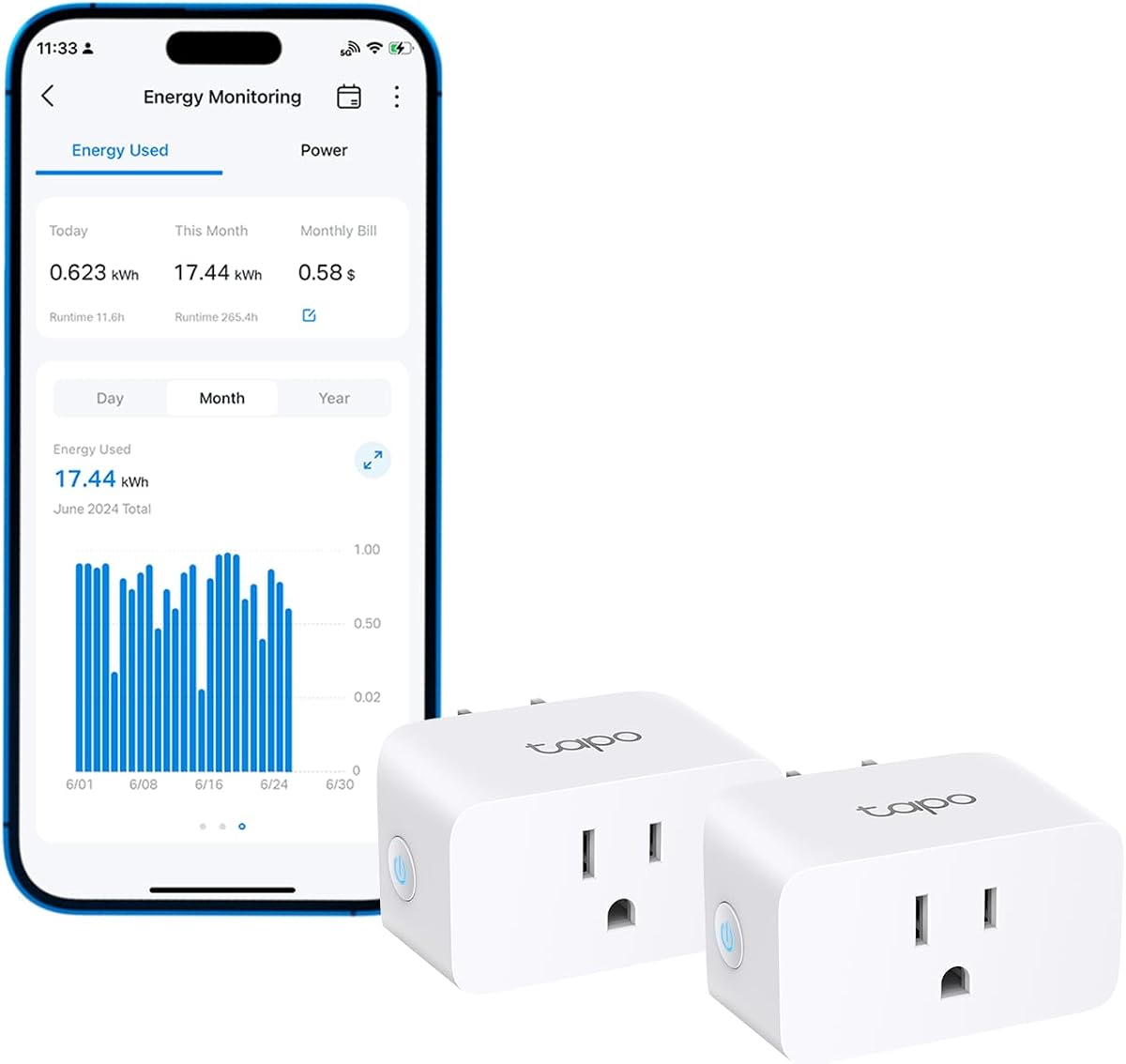
This smart plug offers insightful energy tracking and cost estimation features. It includes auto-shutoff protection and supports voice commands.
We may earn a commission when you buy through this link, at no additional cost to you.
Users can visualize costs and set schedules to optimize usage during off-peak hours. It is a convenient solution for smart home integration.
The device allows automatic power cutting for low-battery devices. It connects via WiFi and works with Alexa and Google Assistant.
It is ideal for users wanting remote control and smart insights. Its integration and features make it a top smart choice.
Supports voice commands and remote control via Alexa and Google Assistant.
Integrates with billing systems to provide clear cost visualization and savings.
We may earn a commission when you buy through this link, at no additional cost to you.
Choosing the right monitor involves understanding your specific needs and the features available.
Accuracy ensures that the data you receive reflects real power usage. Look for devices with Class 1.0 standards or similar precision ratings.
High accuracy is essential for identifying true power hogs.
Decide between plug-in meters or whole-home monitors. Plug-in meters are simple, while whole-home monitors offer detailed circuit insights.
Choose based on whether you need a broad or specific overview.
Check how long the device stores consumption data. Some models retain history during power outages or offer cloud storage.
Long-term storage allows for tracking trends and comparing usage over months.
An app provides visualization and alerts. Look for apps that offer cost calculations and customizable notifications.
A user-friendly app enhances your ability to act on insights.
Safety certifications like UL or ETL are crucial for electrical devices. They indicate the device meets rigorous safety standards.
Always verify certification before installation for peace of mind.
If you have solar panels, choose a monitor that supports net metering. This helps track energy production and consumption together.
Solar integration is key for maximizing renewable energy savings.
Some monitors offer local data processing without cloud dependence. This is important if you are concerned about data privacy.
Check for offline capabilities if privacy is a priority for you.
Consider how easy the device is to install and read. Simple interfaces and displays save time and frustration.
User-friendly features ensure you will use the device consistently.
Start by reviewing the installation instructions carefully. Ensure the device is compatible with your electrical system.
Plug the device into the outlet or install sensors on your panel. Wait for the initial data sync to complete.
Regularly check the app or display for alerts. Calibrate settings to match your local rates for accurate cost estimates.
Most modern monitors adhere to Class 1.0 accuracy standards or similar precision ratings. This ensures that the data you receive reflects real power usage with minimal error.
While some models work offline, most smart monitors require WiFi to sync data to an app. Check the specifications to see if offline access is available.
Many monitors support solar and net metering to track both production and consumption. This feature helps you maximize savings from your renewable energy sources.
Warranty terms vary by model but typically range from one to two years. Some manufacturers offer extended coverage for added peace of mind.
Installation requires turning off the breaker and placing sensors on the main circuit lines. Always follow the manufacturer's safety guidelines when handling electrical panels.
No, the monitors themselves consume negligible power and do not increase your bill. Their primary purpose is to help you identify and reduce usage.
We have reviewed ten monitors ranging from simple plug-in meters to comprehensive smart systems. Each offers unique capabilities for tracking and optimizing power usage.
When selecting a model, prioritize accuracy and ease of use. Safety certifications and data privacy features should also be considered for long-term reliability.
Remember that product details and prices can change over time. Check the latest information before making your final purchase.