
FLASHFORGE AD5X
4.4Editor score
Multi-color printing with IFS technology
Fully automatic leveling system
High-speed printing at 600 mm/s
This comprehensive guide compares the top 10 3D printers for figurines and models to help you choose the best machine for detail and speed.
Choosing the right 3D printer for figurines and models requires balancing speed, precision, and material versatility. Modern machines now offer auto-calibration and multi-color capabilities that simplify the creation of intricate designs. Whether you are a hobbyist or professional, finding a reliable printer ensures consistent results for detailed miniatures and custom statues.
We have evaluated ten top-rated 3D printers based on their build quality, printing speed, and support features. Our analysis focuses on machines that deliver high resolution and reliable performance for complex geometries. Each product was selected for its ability to handle the specific demands of figurine printing without excessive manual intervention or failure rates.
Every pick in this list highlights key strengths such as multi-color support, enclosed chambers, or rapid calibration systems. These features help reduce print failures and improve surface quality for delicate models. Please note that availability and pricing may change over time, so verify current details before making your final purchase decision.
4.4Editor score

4.7Editor score

4.5Editor score
The following table provides a side-by-side comparison of all ten reviewed 3D printers. It highlights essential specifications such as build volume, speed capabilities, and unique features to help you quickly identify the best fit for your modeling needs.






The Bambu Lab A1 stands out as a top contender for detailed figurine work. With a 4.7 rating, users praise its speed and precision. The printer delivers fast results while maintaining high accuracy for small features.
We may earn a commission when you buy through this link, at no additional cost to you.
Its standout quality is the combination of speed and auto-calibration. The 10,000 mm/s² acceleration allows for rapid prototyping. The active flow rate compensation ensures smooth surfaces on intricate models.
Trade-offs include the open frame which limits high-temp materials compared to enclosed units. However, for PLA and PETG figurines, this is acceptable. The AMS lite requirement adds cost but enables vibrant multi-color effects.
This printer is ideal for beginners and pros alike. Its ease of use and reliability make it a strong recommendation for anyone wanting high-quality models without complex setup.
The high acceleration ensures prints finish quickly without sacrificing the fine details needed for facial features or armor textures.
Adding the AMS lite transforms single-color prints into vibrant figures with distinct color zones for clothes or accessories.
We may earn a commission when you buy through this link, at no additional cost to you.
The Bambu Lab P2S Combo offers professional-grade speed with multi-color capabilities. Rated at 4.7, it excels in producing complex figurines quickly. The integrated AMS 2 Pro ensures colors are dry and ready to print.
We may earn a commission when you buy through this link, at no additional cost to you.
Its strengths lie in the adaptive airflow and quick setup. You can start printing in 15 minutes. The smart airflow keeps overhangs crisp which is vital for models with loose clothing or wings.
The higher cost is a trade-off for these premium features. It is best suited for users needing reliability and advanced color management. Beginners might find it advanced but worth the investment.
This machine is a top pick for serious modelers. It handles high detail and vibrant colors well. The combination of speed and quality makes it a powerhouse for production runs.
The built-in drying ensures consistent filament performance, reducing defects in long multi-color prints.
Ready to print in 15 minutes means less time configuring and more time creating detailed models.
We may earn a commission when you buy through this link, at no additional cost to you.
The FLASHFORGE Creator 5 Pro is designed for industrial needs and complex models. Its 4-toolhead system allows multi-material prints with minimal waste. The heated chamber ensures success with engineering filaments like ABS.
We may earn a commission when you buy through this link, at no additional cost to you.
Key strengths include the near-zero waste system and stability. The CoreXY structure handles high speeds without vibration. This ensures clean edges on detailed parts. The camera helps monitor progress remotely.
The cost and complexity are trade-offs. It targets advanced users needing robust performance. For simple PLA figurines, it may be overkill. But for advanced material needs, it is unmatched.
Recommend this for those needing versatility. It bridges the gap between hobbyist and industrial use. The ability to switch materials without flushing saves time and cost.
The 7-second FlashSwap changer eliminates massive purge waste, saving material on multi-color runs.
Linear rails and high-torque belts deliver precise movement for tight tolerance parts.
We may earn a commission when you buy through this link, at no additional cost to you.
The Bambu Lab P1S combines enclosure benefits with fast speeds. Rated 4.5, it supports up to 16 colors via AMS. The enclosed design improves performance for advanced filaments.
We may earn a commission when you buy through this link, at no additional cost to you.
Strengths include reliability and auto-leveling. It sets up quickly and prints fast. The enclosed body helps with warping on larger prints. It is a versatile machine for diverse needs.
Trade-offs include the need for separate AMS for color. Also noise levels can be higher on max speed. Still these are minor compared to its performance.
This is a solid choice for versatile users. It handles standard and engineering materials well. The speed ensures you can produce figurines quickly without errors.
Compatible with many filament types including PA and PC for strong durable models.
20000 mm/s² acceleration lets you prototype rapidly without long wait times.
We may earn a commission when you buy through this link, at no additional cost to you.
The FLASHFORGE AD5X offers impressive multi-color features for a lower price. Rated 4.4, it uses IFS technology for up to four colors. The auto-leveling simplifies setup significantly.
We may earn a commission when you buy through this link, at no additional cost to you.
Key strengths are speed and heat. The 300°C nozzle handles a wide range of materials. The build volume accommodates larger figurines easily. Auto-leveling reduces failure risks.
Trade-offs include manual nozzle swaps and software needs. Still the value proposition is strong. It is a great entry point for colorful prints without high cost.
Ideal for budget-conscious creators. It balances cost with high speed. Use it for vibrant models needing detail and variety in materials.
Independent Filament System allows simultaneous printing for vibrant and detailed multi-color models.
Reach 300°C to print with tough materials that require higher heat for adhesion.
We may earn a commission when you buy through this link, at no additional cost to you.
The Snapmaker U1 brings premium multi-tool capabilities to figurine makers. Rated 4.5, it swaps tools in 5 seconds. This reduces waste and increases productivity compared to standard systems.
We may earn a commission when you buy through this link, at no additional cost to you.
Strengths include flexibility and speed. It handles rigid and flexible materials in one print. The CoreXY system ensures stability at high speeds. It is perfect for complex projects.
Trade-offs include the price and setup time. It requires understanding the toolhead system. But for pros needing advanced features, it is a strong investment.
This is a top choice for professionals. It supports soluble supports and varied hardness. Use it when you need complex material mixes in single print jobs.
The SnapSwap system reduces tool change time drastically saving filament and time.
Combine PLA TPU and PETG for parts with different rigidity in one print.
We may earn a commission when you buy through this link, at no additional cost to you.
The Creality SPARKX i7 Combo introduces AI tools for model creation. Rated 4.0, it can turn portraits into 3D models. The pre-assembled design makes setup fast for beginners.
We may earn a commission when you buy through this link, at no additional cost to you.
Strengths include AI detection and color. It watches prints in real time to detect failures. The multicolor system reduces waste. Quiet night mode helps with home use.
Trade-offs include the AI model reliability. It works best with simple shapes. Still the convenience and features make it a solid choice for hobbyists.
Recommend for those wanting easy start. It simplifies the path to figurines. Use it for custom gifts without needing complex design skills.
Upload a portrait and generate a unique 3D model in seconds with CubeMe AI.
Built-in AI detects spaghetti and failures to save you from wasted prints.
We may earn a commission when you buy through this link, at no additional cost to you.
The FLASHFORGE Adventurer 5M Pro focuses on speed and user convenience. Rated 4.0, it offers 600mm/s printing with core stability. The quick-swap nozzle adds flexibility for different details.
We may earn a commission when you buy through this link, at no additional cost to you.
Key strengths include the filtration and camera. The dual system keeps air clean for home offices. The camera and mobile control help monitor progress easily.
Trade-offs include lack of multi-color capability. It is strictly single-color focused. Still for high-speed single-color prints it is a strong performer.
Ideal for home and office users. It is safe and fast. Use it when you need quick and reliable prints for prototypes.
Replace nozzles in seconds without tools to adapt to different model requirements.
Dual filtration and enclosure ensure safe operation in shared spaces.
We may earn a commission when you buy through this link, at no additional cost to you.
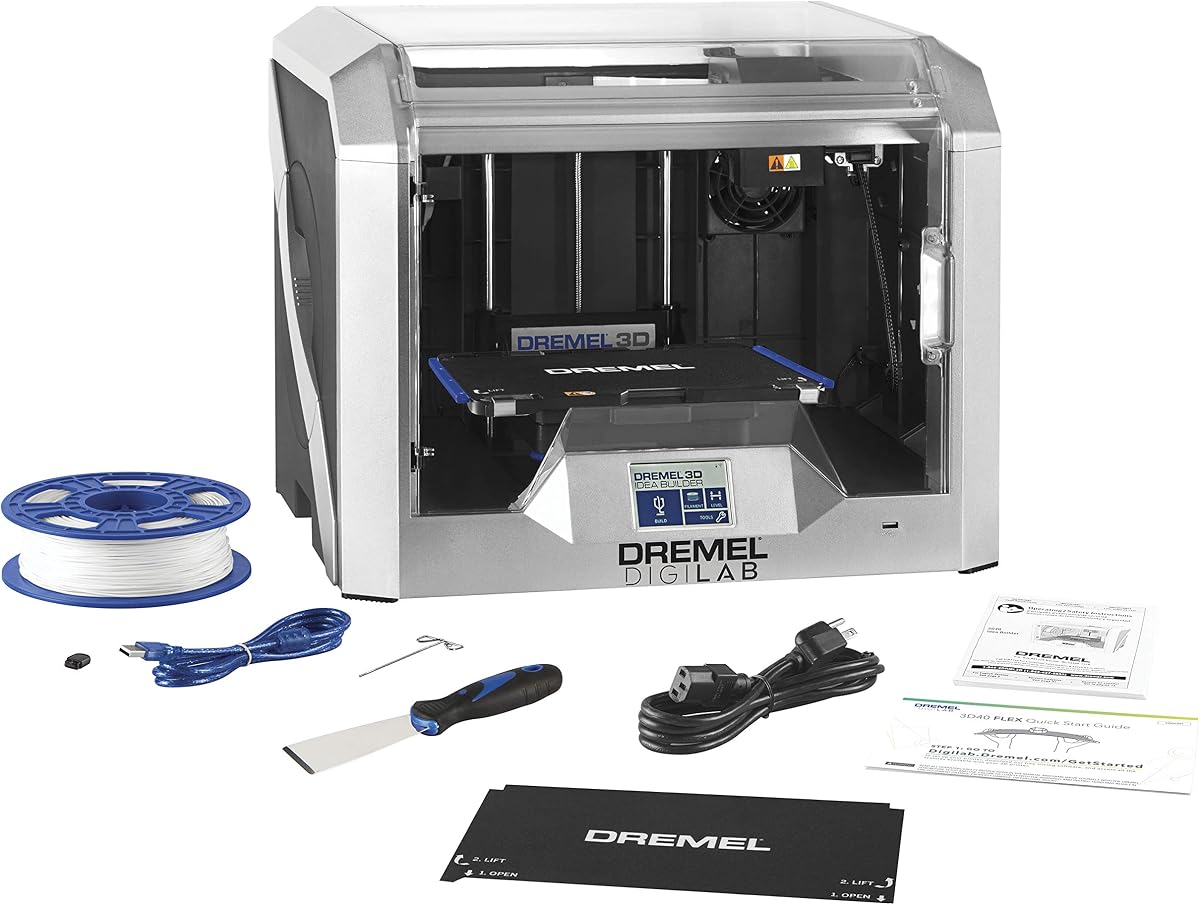
The Dremel 3D40-FLX is a reliable choice for consistent modeling. Rated 4.4, it offers 50 micron resolution for fine detail. The flexible plate makes removing models easy without damage.
We may earn a commission when you buy through this link, at no additional cost to you.
Strengths include the enclosure and leveling. The 9-point leveling ensures a perfect first layer. The enclosure protects prints from drafts. It is a trusted brand with support.
Trade-offs include slower speeds and lower nozzle temp. It is not ideal for high-temp materials. But for detailed figures it is safe and easy.
Best for beginners needing reliability. It simplifies the process significantly. Use it for high-resolution models where safety and support matter.
Flexible plate allows you to pop off prints without damaging delicate parts.
Lifetime access to Dremel service ensures you get help when needed.
We may earn a commission when you buy through this link, at no additional cost to you.
The Bambu Lab A1 Combo includes the AMS Lite for multi-color. Rated 4.6, it combines speed with automatic calibration features. The combo makes it a complete package for users.
We may earn a commission when you buy through this link, at no additional cost to you.
Strengths include the flow sensors and noise cancellation. It adjusts flow rates automatically for smooth prints. The motor cancellation reduces noise. It is very reliable.
Trade-offs include open frame limitations. It works best for standard materials. Still the inclusion of AMS makes it a strong option for colors.
Ideal for color-focused users. It balances performance and features. Use it for projects needing variety without complex setup steps.
High-resolution sensors measure pressure for precise extrusion control.
Active motor cancellation reduces harsh noise during operation.
We may earn a commission when you buy through this link, at no additional cost to you.
Selecting the right 3D printer involves considering factors like resolution, speed, and ease of use. This guide covers key aspects to help you choose a machine that matches your project requirements and experience level.
High-resolution printers produce finer details which are crucial for facial features and textures. Look for machines that support 0.2mm nozzles for intricate parts.
Prioritize models with stable motion systems to ensure sharp edges and smooth surfaces.
Faster printers allow quicker prototyping and higher output. Many modern machines offer speeds up to 600mm/s without sacrificing accuracy.
Balance speed with quality to ensure detailed figurines do not lose definition.
Multi-color systems add life to models through vibrant sections. Tools like AMS allow you to switch colors mid-print automatically.
Choose a system that manages waste well to reduce material costs and mess.
Enclosed printers provide temperature control which helps prevent warping for materials like ABS. Open frames are better for ventilation with PLA.
Consider your workspace safety and material needs when deciding between enclosure types.
Auto-leveling and calibration features simplify setup and reduce failures. Beginners benefit from user-friendly interfaces and guided software.
Opt for printers that offer seamless workflow integration and reliable support tools.
Larger build volumes allow for bigger models without assembly. Check dimensions to ensure your printer fits your largest figurine project.
A generous size reduces the need for cutting and gluing separate parts.
Ensure the printer supports the filaments you want to use. Nozzle temperatures up to 300°C offer access to advanced engineering materials.
Versatility in materials expands the range of durable and detailed models you can create.
Smart cameras and mobile apps allow you to track prints remotely. Good software reduces user effort and improves success rates.
Select models with intuitive slicing tools and AI detection for reliable operation.
Start by leveling the print bed automatically to ensure good adhesion. Use the recommended settings for your filament type to prevent warping.
Monitor prints using the built-in camera to catch issues early. Regularly clean the nozzle to maintain consistent flow and quality.
Keep the machine in a clean and stable environment. Replace nozzles and perform calibration regularly to keep performance high.
A 0.2mm or 0.4mm nozzle is ideal for detailed figurines. Smaller nozzles allow finer lines and better texture. Ensure your printer can handle the slower print speeds.
Multi-color printers enhance the look of models but are not strictly necessary. Single-color prints with painting work well too. Consider your budget and desired workflow complexity.
Use an enclosed printer to maintain consistent temperatures. A heated bed and proper adhesive also help. Slicer settings like brims can increase stability.
Yes, auto-calibration simplifies setup and reduces failures. It ensures the bed is level without manual tweaking. Look for machines with reliable auto-leveling features.
Yes, materials like PETG and ASA offer weather resistance. Ensure your printer supports higher temperatures for these filaments. Proper printing settings improve strength.
Popular options include Bambu Studio and PrusaSlicer for slicing. For design, Blender is great for creating models. Many printers come with proprietary tools for ease of use.
We reviewed ten top 3D printers ranging from budget to premium options. Each offers unique features for speed, color, and ease of use. Your choice depends on your specific modeling goals.
Prioritize machines that balance resolution with ease of use. Reliable calibration and smart features save time and reduce frustration during prints.
Always check the current availability and compatibility before purchasing. Select the one that best fits your workspace and project needs.