
ANQ-L336 Mini eGPU Enclosure
3.8Editor score
Compact mini design
Supports SFX and Flex PSU
Compatible with ROG Ally X
Compare the top ten egpu enclosures for laptops and desktops to find the best Thunderbolt 5 USB4 docking solution for gaming and professional work.
External GPU enclosures transform laptops into powerful desktop workstations by connecting high-performance graphics cards via Thunderbolt or USB4 interfaces for enhanced computing capabilities.
We evaluated ten leading models based on bandwidth speed power supply capacity thermal management build quality and compatibility with the latest NVIDIA and AMD graphics cards for diverse user needs.
Each selection highlights unique strengths from budget-friendly options to premium docking stations while noting that availability and pricing may vary across retailers and regions over time.
3.8Editor score
5.0Editor score

4.5Editor score
The following table presents a side-by-side comparison of all ten reviewed enclosures highlighting their key specifications connectivity options and compatibility features for informed decision-making.


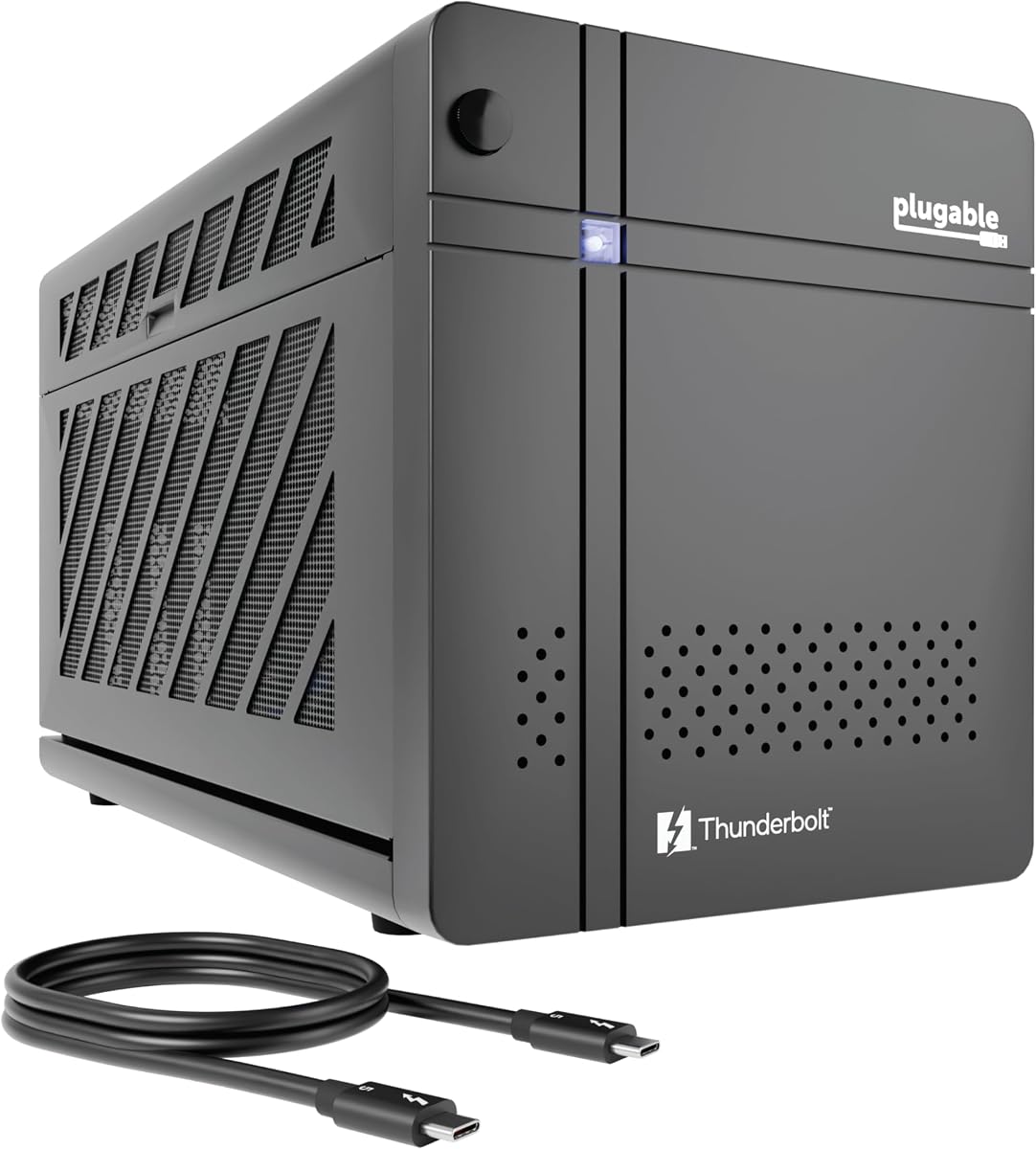
The Plugable Thunderbolt 5 AI eGPU Enclosure stands out as the top choice for professionals seeking maximum bandwidth and specialized AI capabilities. With its 5.0 rating it delivers unmatched performance for offline model training and secure data processing environments.
We may earn a commission when you buy through this link, at no additional cost to you.
Its 850W ATX 3.1 power supply provides ample headroom for high-end GPUs while the 80Gbps Thunderbolt 5 connection ensures minimal latency during intensive workflows. The dedicated AI features allow users to run models like Llama 3 without cloud dependencies ensuring data privacy.
While the price is higher than standard enclosures the investment is justified for users who need local AI inference capabilities. The system supports up to 3.5-slot GPUs and includes robust networking options like 2.5Gbps Ethernet for seamless office integration.
This enclosure is ideal for developers data scientists and creative professionals who require local processing power and privacy. The lifetime support from a North American team adds significant value for business deployments and home offices alike.
Run local AI models with an air gap to protect sensitive data from cloud risks and subscription fees while maintaining high performance.
Leverage 80Gbps Thunderbolt 5 speeds for double the bandwidth of Thunderbolt 4 ensuring smooth data transfer for large files and complex projects.
We may earn a commission when you buy through this link, at no additional cost to you.
The Sonnet Breakaway Box 850 T5 delivers outstanding performance with its 80Gbps Thunderbolt 5 connection and 850W power supply. It is designed to handle the most demanding creative applications and AAA games with near-desktop GPU power.
We may earn a commission when you buy through this link, at no additional cost to you.
Its triple wide GPU support accommodates the latest NVIDIA and AMD cards including the 9000 and 7000 series. The built-in Thunderbolt 5 dock adds peripheral connectivity with USB Type A ports and Gigabit Ethernet for a complete workstation setup.
While it is optimized for Windows 11 systems the performance gains for GPU-accelerated workflows are substantial. The variable-speed fan ensures quiet operation during light tasks while ramping up effectively during heavy rendering sessions.
This premium enclosure is perfect for professionals who need reliable high-speed connectivity and extensive GPU support. The Intel Thunderbolt certification ensures stable performance and broad compatibility with modern laptops.
Access one Thunderbolt 5 port and multiple USB Type A ports along with Ethernet for a fully connected workstation without additional hubs.
The 850W supply supports current power-hungry GPUs and prepares your setup for upcoming card releases with consistent high performance.
We may earn a commission when you buy through this link, at no additional cost to you.
The ANQ-L336 Mini eGPU Enclosure offers an accessible entry point for users seeking portable graphics boosts without breaking the budget. Its compact design and flexible power options make it ideal for travel and handheld gaming consoles.
We may earn a commission when you buy through this link, at no additional cost to you.
With official JHL7440 controller certification it ensures stable data transfer for gaming and rendering tasks. The 85W PD fast charging supports devices like the ROG Ally X directly through the Thunderbolt connection for seamless portable setups.
While it lacks the bandwidth of newer Thunderbolt 5 models it provides solid performance for standard workflows. The support for ATX SFX and FLEX power supplies allows users to choose the power solution that fits their needs.
This model is best for budget-conscious users or those using handheld consoles who need a reliable graphics boost. Its versatility across Windows Linux and macOS adds significant value for diverse computing environments.
Designed to work with USB4 equipped handhelds like the ROG Ally X providing Turbo Mode support and improved gaming performance.
Choose from ATX SFX or DC power supplies to match your GPU requirements while keeping the setup compact and portable.
We may earn a commission when you buy through this link, at no additional cost to you.
The Razer Core X V2 External Graphics Enclosure brings next-generation Thunderbolt 5 performance to compatible laptops and devices. With a 4-slot wide support it accommodates larger high-end graphics cards for maximum visual performance.
We may earn a commission when you buy through this link, at no additional cost to you.
Its tool-free installation using thumbscrews makes swapping GPUs easy while the active cooling fan maintains optimal temperatures during heavy loads. The 140W PD charging keeps your laptop powered while the external GPU handles the rendering tasks.
While the setup requires purchasing a GPU separately the flexibility to choose and upgrade cards is a major advantage. The seamless connectivity ensures smooth performance for gaming and creative workflows without complex configurations.
This enclosure is suited for users who need room for large GPUs and reliable high-speed connections. The robust steel chassis and active cooling provide long-term durability for intensive daily use.
Accommodate up to 4-slot wide graphics cards ensuring you can use the latest high-performance models without space limitations.
Connect via Thunderbolt 5 or USB 4 for instant graphical boosts and quick disconnection when you are done with intensive tasks.
We may earn a commission when you buy through this link, at no additional cost to you.
This External GPU Enclosure provides a complete kit with a 240W power supply and carrying case for portable desktop-grade graphics. Its compact design fits smaller GPUs while maintaining robust connectivity for various tasks.
We may earn a commission when you buy through this link, at no additional cost to you.
The anodized aluminum shell offers premium protection against wear and tear during travel. Included cables and power supply mean you can start using it immediately without purchasing additional components for your setup.
While GPU length is limited to 205mm it covers many popular mid-range options for general use. The 85W PD charging ensures your laptop stays powered while utilizing the external GPU for enhanced performance.
Ideal for users seeking a ready-to-use solution for mobile workstations this enclosure balances price and portability. Its simplicity makes it accessible for those new to eGPU setups.
Receive everything needed including power supply cables and a carrying case to easily transport and set up your graphics boost.
The lightweight aluminum shell protects internal components while maintaining a slim profile for easy travel between locations.
We may earn a commission when you buy through this link, at no additional cost to you.
The VK-Y900 Thunderbolt eGPU Enclosure supports a wide range of NVIDIA and AMD graphics cards including future models. It uses standard ATX power supplies making it flexible for various GPU power requirements and user preferences.
We may earn a commission when you buy through this link, at no additional cost to you.
Equipped with an Intel JHL7440 controller it ensures stable data transfer for professional rendering and development tasks. The 85W PD pass-through keeps your laptop charged while the GPU handles demanding workloads without additional power cables.
While it lacks specialized handheld support its broad compatibility makes it suitable for desktop replacements. The ENIG PCB ensures long-term oxidation resistance for reliable performance over many years of use.
This enclosure is ideal for users who want a versatile long-term solution with standard power options. The technical support team helps resolve driver and connectivity issues promptly for a smooth setup experience.
Use standard ATX power supplies to match your GPU needs without proprietary power constraints for easier upgrades.
Connect everything with one Thunderbolt cable to reduce clutter while charging and powering external graphics simultaneously.
We may earn a commission when you buy through this link, at no additional cost to you.
The Sonnet Breakaway Box 750ex is a reliable choice for users with Thunderbolt 3 laptops needing robust graphics acceleration. Its 750W power supply supports many current GPU models while offering room for future hardware upgrades.
We may earn a commission when you buy through this link, at no additional cost to you.
Designed with both Mac and Windows compatibility it fits into diverse professional environments. The additional USB ports and Ethernet connection allow for expanded peripheral support without extra hubs or adapters.
While Thunderbolt 3 offers less bandwidth than newer standards it remains sufficient for many creative workflows. The build quality and stability make it a solid option for professionals prioritizing reliability over cutting-edge speeds.
This model is best for those with older Thunderbolt 3 systems or Mac users avoiding M1 chips. Its proven track record ensures consistent performance for editing and rendering tasks.
Connect multiple USB devices and Ethernet directly through the enclosure to simplify your workspace setup.
Use with Mac or Windows systems for flexibility across different work environments without hardware limitations.
We may earn a commission when you buy through this link, at no additional cost to you.
This Mini eGPU Enclosure provides a compact solution for laptops and NUCs with USB4 or Thunderbolt interfaces. The certified JHL7440 controller ensures stable and efficient expansion experiences for various tasks.
We may earn a commission when you buy through this link, at no additional cost to you.
It supports SFX ATX FLEX and DC power supplies allowing users to select the best option for their GPU. The inclusion of a USB A port and secondary Thunderbolt port lets the dock function as a hub for other devices.
Users should note that it requires some DIY knowledge for power and compatibility settings. The one-year warranty offers protection while contacting customer service helps resolve hardware and driver issues quickly.
Ideal for space-constrained setups this enclosure balances size and functionality. Its simplicity and versatility make it a good choice for users comfortable with basic hardware configuration.
Attach additional Thunderbolt devices downstream using the extra ports to expand your connectivity without extra hardware.
Choose from multiple power supply formats to match your GPU's needs while keeping the overall footprint small.
We may earn a commission when you buy through this link, at no additional cost to you.
The MINISFORUM DEG2 offers unique dual-link interfaces supporting both USB4 V2 and OCuLink for flexible connectivity options. The hardware switch allows instant switching between all-in-one docking and pure GPU performance modes.
We may earn a commission when you buy through this link, at no additional cost to you.
A built-in M.2 NVMe slot lets you store AI models and project files directly on the dock for synchronized workspaces. The signal booster minimizes latency and interruptions during high-bandwidth tasks like 8K rendering.
This design caters to users needing both storage and maximum GPU performance without external drives. The modular design ensures easy upgrades to power and computing capabilities as needs evolve.
Ideal for advanced users wanting versatility this enclosure bridges docking and performance needs. Its single-cable solution simplifies desktop workflows while maintaining high speed and stability.
Store files locally on the dock to synchronize data seamlessly between different host devices.
Use the hardware switch to toggle between docking and GPU performance modes without restarts.
We may earn a commission when you buy through this link, at no additional cost to you.
This External eGPU Enclosure with PSU offers a complete kit with power supply and carrying case for instant desktop performance. Its compact design supports mid-range GPUs while maintaining a portable form factor.
We may earn a commission when you buy through this link, at no additional cost to you.
The anodized aluminum shell ensures durability during travel while the included cables simplify setup. The 85W PD charging keeps your laptop powered during use reducing cable clutter on your desk.
With a 5.0 rating users appreciate its reliability and ease of use. While GPU size is limited to 205mm it covers many popular cards for general editing and casual gaming needs.
Perfect for beginners or mobile users this enclosure provides everything needed to start without extra purchases. Its simplicity and quality make it a strong choice for first-time eGPU adopters.
Start immediately with included power supply and cables to boost graphics without additional hardware.
The aluminum shell protects components during travel ensuring your setup remains safe and functional anywhere.
We may earn a commission when you buy through this link, at no additional cost to you.
Selecting the right enclosure depends on your laptop interface GPU needs power requirements and budget. Understanding these factors ensures compatibility and optimal performance.
Check your laptop for Thunderbolt 3 4 or 5 or USB4 ports. Newer interfaces like Thunderbolt 5 offer 80Gbps bandwidth for minimal performance loss. Older Thunderbolt 3 systems may suffice but have limited speed.
Always verify your device supports eGPU protocols before purchase to avoid incompatibility issues.
Enclosures include fixed PSUs or support external ATX/SFX units. High-end GPUs need 750W or more. Built-in units simplify setup while external ones offer flexibility for upgrades.
Ensure the PSU wattage matches your GPU's requirements to avoid instability or shutdowns.
Measure your graphics card length height and width. Some enclosures fit up to 4 slots wide others only 2. Verify dimensions in product specs to ensure your card fits physically.
Compact GPUs work best for portable enclosures while full-size cards suit desktop docks.
Most enclosures support Windows 10/11 but macOS compatibility is limited especially for M1 chips. Linux support varies by controller. Confirm OS support before buying to prevent driver issues.
Windows users have the widest choice while macOS users should verify specific model compatibility.
Active cooling fans prevent overheating during intense loads. Look for variable-speed or customizable fans for quiet operation. Ventilation design affects sustained performance.
Enclosures with good airflow maintain higher speeds without throttling under heavy use.
Some docks include USB Ethernet or video ports for expanded connectivity. This reduces the need for additional hubs. Thunderbolt passthrough allows chaining other devices.
Choose enclosures with ports you need to streamline your workstation setup.
Aluminum or steel chassis offer protection during travel. Carrying cases add convenience. High-quality components ensure long-term reliability.
Invest in robust builds if you move your setup frequently to avoid damage.
Lifetime or multi-year warranties indicate manufacturer confidence. Responsive support teams help resolve driver issues. TAA compliance matters for government or business procurement.
Prioritize brands with strong support to minimize downtime during troubleshooting.
Install your graphics card into the enclosure following manufacturer instructions ensuring secure connections for power and data. Connect the included Thunderbolt cable to your laptop and power on the enclosure before starting your device.
Update GPU drivers on your laptop to match the graphics card model for stable performance. Configure system settings to prioritize the external GPU for specific applications like games or rendering software.
Regularly clean intake vents to prevent dust buildup that can cause overheating. Avoid moving the enclosure while operating to protect internal components and cable connections.
Only laptops with Thunderbolt 3 4 5 or USB4 ports support eGPU enclosures. Verify your device specifications before buying. Standard USB-C ports without Thunderbolt protocols cannot connect these docks.
Mac support depends on the model and chip. Intel Macs with Thunderbolt work well. Apple Silicon M1 and later chips have limited or no eGPU support in most current enclosures.
Most enclosures do not include a graphics card unless specified. You must purchase a compatible desktop GPU separately and install it into the enclosure before use.
Power requirements vary by GPU. Low-end cards may need 240W while high-end ones need 850W. Check your GPU's wattage rating and match it with the enclosure's PSU capacity.
Installation is straightforward with tool-free designs using thumbscrews. Follow the manual to connect power and PCIe cables. Basic technical skills are usually sufficient for setup.
Yes most enclosures support AAA games with compatible GPUs. Performance depends on bandwidth and GPU power. Thunderbolt 5 models offer the best experience with minimal loss.
The top picks highlight diverse strengths from AI-focused workstations to portable compact designs. Each offers unique advantages based on your performance and budget needs.
Prioritize connection speed power capacity and GPU compatibility to match your workflow. Consider future upgrades when selecting power supplies and chassis size.
Check current availability and retailer policies before buying. Prices and stock vary so compare options for the best value at the time of purchase.