
NETGEAR Nighthawk Cable Modem and WiFi 5 Router Combo (C7000)
4.2Editor score
AC1900 WiFi 5 Speed
Compatible with Xfinity and Cox
Includes USB 2.0 Port
This guide compares the top Cable Modem WiFi Router Combo units for speed, coverage, and reliability to help you choose the right device for your home internet
Finding the right Cable Modem WiFi Router Combo can transform your home network experience. These all-in-one devices simplify setup while delivering fast speeds and reliable coverage for streaming, gaming, and work from home tasks.
We evaluated ten top-rated models based on DOCSIS standards, WiFi generation, coverage area, and provider compatibility. Our analysis focuses on performance features, security tools, and real-world usability to help you make an informed decision.
Each pick highlights key strengths and ideal use cases so you can match a device to your specific internet plan and household size. Keep in mind that prices and availability change frequently, so check current listings before buying.
4.2Editor score

4.1Editor score

3.9Editor score
The following table provides a side-by-side comparison of all ten products reviewed in this guide. Use this overview to quickly identify key specifications and compatibility details for each model.



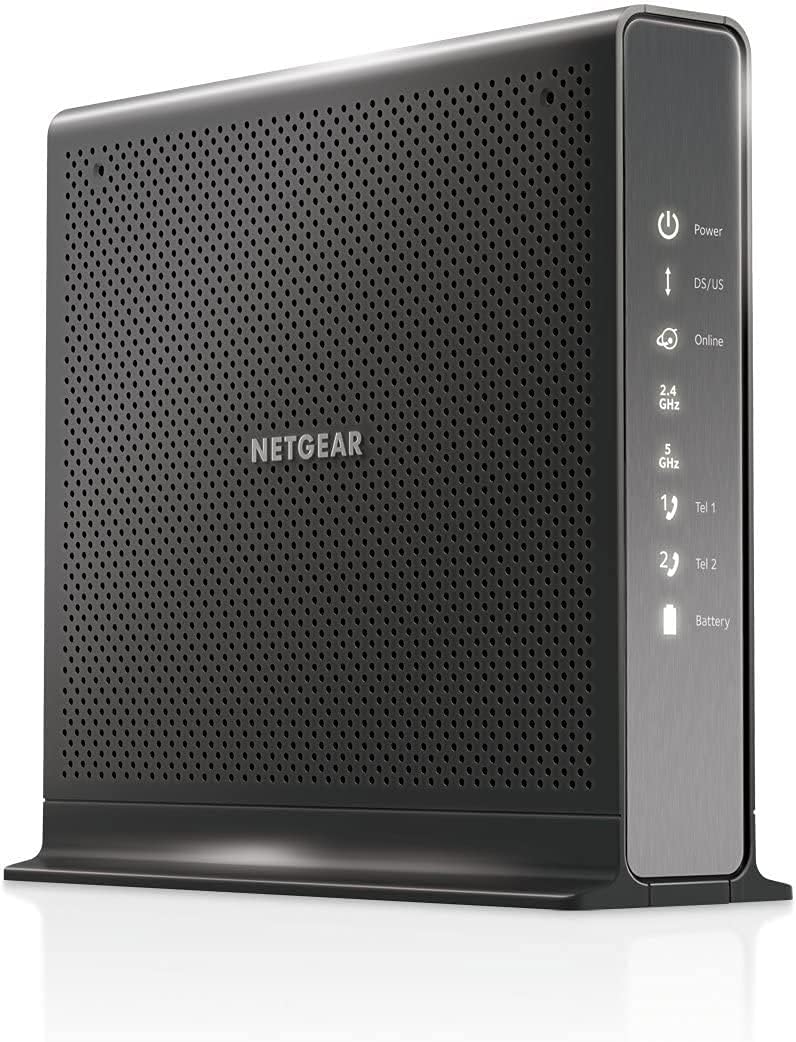


This NETGEAR Nighthawk model combines a DOCSIS 3.1 modem with a WiFi 6 router in one sleek unit. It holds a solid rating from users who appreciate its speed and coverage capabilities for modern homes.
We may earn a commission when you buy through this link, at no additional cost to you.
The device supports cable internet plans up to 2Gbps, making it future-proof for upcoming upgrades. Its dual-band AX2700 WiFi ensures stable connections across 25+ devices, which is ideal for busy households.
While it lacks fiber compatibility, it works seamlessly with major cable providers like Xfinity and Spectrum. The included Nighthawk app simplifies network management and security settings for non-technical users.
Buy this if you need reliable gigabit speeds and want to save on rental fees. It is a strong all-rounder that balances performance and ease of use effectively.
DOCSIS 3.1 technology ensures your network can handle faster internet plans without needing a hardware upgrade soon.
WiFi 6 improves data transmission efficiency, reducing congestion during peak usage times when everyone is online.
We may earn a commission when you buy through this link, at no additional cost to you.
The C7000 is a cost-effective choice for households with standard cable internet plans. It delivers reliable AC1900 speeds and covers most average-sized homes without breaking the bank.
We may earn a commission when you buy through this link, at no additional cost to you.
Its DOCSIS 3.0 certification ensures compatibility with Xfinity and Cox plans up to 800Mbps. The built-in USB port allows for easy file sharing across your local network.
While it lacks the latest WiFi 6 features, it remains stable for streaming and browsing. This model is ideal if you do not need multi-gigabit speeds right now.
Choose this for a straightforward setup that saves you money on monthly rental fees. It offers great value for users who prioritize functionality over cutting-edge features.
This model delivers essential high-speed internet capabilities at a price point that fits most budgets easily.
The USB port lets you connect external drives to share files across devices without a dedicated server.
We may earn a commission when you buy through this link, at no additional cost to you.
This renewed version offers the same powerful CAX30 performance at a reduced price. It is a smart option for those who want WiFi 6 capabilities without paying full retail price.
We may earn a commission when you buy through this link, at no additional cost to you.
The device supports 1Gbps+ internet speeds and includes link aggregation for better wired performance. Users can expect similar coverage and stability as the brand new unit.
Since it is refurbished, you should check the return policy before purchasing. However, the savings often outweigh the risks for budget-conscious shoppers looking for high-end features.
Pick this if you want the latest WiFi technology but want to keep initial costs down. It is an excellent middle ground between budget and premium options.
Buying renewed allows you to access premium hardware features while saving a significant amount of money upfront.
These units undergo testing to ensure they meet original performance standards before being sold again.
We may earn a commission when you buy through this link, at no additional cost to you.
This variant of the CAX30 provides similar high-speed capabilities with a focus on storage connectivity. The USB 3.0 port is a distinct upgrade for users who frequently move large files.
We may earn a commission when you buy through this link, at no additional cost to you.
It maintains the DOCSIS 3.1 standard and WiFi 6 efficiency, ensuring reliable performance for gaming and streaming. The footprint remains small enough for most living spaces.
It is important to check specific port layouts as variations can occur between batches. The core performance remains consistent with the expected CAX30 standards for gigabit networks.
Select this if you need faster external storage access alongside your network. It is a practical choice for power users who value wired speed.
USB 3.0 allows significantly quicker data movement to external drives compared to older USB versions.
The compact shape helps you place the device in smaller areas without cluttering your setup visually.
We may earn a commission when you buy through this link, at no additional cost to you.
The ARRIS Surfboard G34 stands out for its clean design and robust 3000 Mbps wireless capability. It brings a fresh look to your modem setup while delivering strong technical specifications.
We may earn a commission when you buy through this link, at no additional cost to you.
It is certified for use with Cox, Xfinity, and Spectrum, making it versatile for many US users. The LED indicators provide clear feedback on network status without needing to check the app.
Some users report initial activation hurdles, but once online it performs reliably. The 2.5Gbps support ensures it is ready for future high-speed internet tiers.
Choose this if you prioritize aesthetics alongside performance. It offers a modern alternative to traditional bulky modems for contemporary home offices.
Simple LED lights give you instant information about power and connection status at a glance.
The DOCSIS 3.1 standard ensures your modem can handle very fast internet plans when they are available.
We may earn a commission when you buy through this link, at no additional cost to you.
This renewed unit offers the lowest entry point for reliable internet hardware. It retains the core strengths of the C7000 with a functional design for standard households.
We may earn a commission when you buy through this link, at no additional cost to you.
It supports plans up to 800Mbps and covers up to 1800 square feet effectively. The device is ready for streaming and casual gaming without high-end features.
As a refurbished item, it comes with fewer guarantees than new stock. However, the performance difference is negligible for average users looking to save money.
Buy this if you need a dependable replacement at the lowest possible cost. It is a practical choice for basic connectivity needs.
This option allows you to get a working combo unit without investing heavily in expensive technology.
The tested hardware ensures stable speeds for daily activities like web browsing and HD video streaming.
We may earn a commission when you buy through this link, at no additional cost to you.
The CAX80 is the top-of-the-line option for those needing maximum throughput. It combines a powerful modem with an AX6000 router to handle heavy network traffic with ease.
We may earn a commission when you buy through this link, at no additional cost to you.
One 2.5 Gig Multi-Gig port allows for wired speeds that match ultra-fast plans. This is rare in combo units and ensures your desktop gets the full bandwidth available.
Coverage extends to 2500 sq ft, making it suitable for larger homes. The price reflects these premium capabilities but may not be necessary for smaller setups.
Invest in this if you need the absolute best wired and wireless performance. It is designed for power users and large families with many connected devices.
The 2.5G Ethernet port delivers faster wired connections than standard Gigabit ports for demanding devices.
AX6000 throughput supports more simultaneous high-bandwidth activities like 4K streaming and large file downloads.
We may earn a commission when you buy through this link, at no additional cost to you.
This specialized model includes built-in support for voice services, making it unique among modern combos. It is designed specifically for users who bundle home phone with their internet.
We may earn a commission when you buy through this link, at no additional cost to you.
With two phone lines, it accommodates households needing multiple phone connections without extra hardware. The AC1900 WiFi provides solid coverage for standard needs.
Battery backup options help keep lines active during power outages. This feature ensures critical communication lines remain open when electricity is disrupted.
Choose this only if you require home phone service through your internet provider. It offers essential convenience for those specific bundled plans.
Built-in phone ports eliminate the need for separate adapters when using VoIP services.
Optional battery backup keeps your phone line working even when the power goes out.
We may earn a commission when you buy through this link, at no additional cost to you.
The C6250 is an efficient option for basic internet plans up to 300Mbps. It covers smaller spaces well and offers essential security tools for families.
We may earn a commission when you buy through this link, at no additional cost to you.
Despite having fewer Ethernet ports than larger models, it handles daily streaming and browsing tasks effectively. Its design is sleek enough for living room display.
It includes parental controls to help manage screen time for kids. The limited speed capacity makes it suitable for single or small family use.
Opt for this if you have a simpler internet plan and need basic connectivity. It is a no-nonsense device for routine household internet use.
Parental controls allow you to filter content and manage internet time for specific devices.
Basic wired ports connect essential devices like desktops or gaming consoles directly.
We may earn a commission when you buy through this link, at no additional cost to you.
ARRIS is known for selling millions of modems, and this model reflects that reliability. It offers solid speeds and an intuitive app for easy network control.
We may earn a commission when you buy through this link, at no additional cost to you.
With AC2350 speeds, it handles standard high-speed plans well. The four Ethernet ports give you flexibility to connect multiple devices without extra switches.
Setup is guided by the Central App, which simplifies activation. This reduces the complexity of configuring your home network from scratch.
Select this if you want a dependable device with strong brand support. It is a practical pick for users who value stability over new features.
ARRIS has a long history of producing stable network equipment trusted by providers worldwide.
The Central App lets you manage settings and monitor usage directly from your smartphone.
We may earn a commission when you buy through this link, at no additional cost to you.
Choosing the right combo involves matching hardware specs to your internet plan and home needs.
DOCSIS 3.1 is the latest standard supporting higher speeds and efficiency. It ensures your modem can handle plans over 1Gbps without throttling.
Look for 3.1 certification if you have or plan to upgrade to gigabit internet soon.
WiFi 6 (802.11ax) provides better performance with multiple devices compared to WiFi 5. It reduces congestion in crowded networks.
If your budget allows, prioritize WiFi 6 for better long-term value and stability.
Not all devices work with every cable provider. Always check lists for Xfinity, Spectrum, or Cox before purchasing.
Ensure the device is explicitly certified for your specific ISP to avoid activation issues.
Larger homes need models that cover 2000+ sq ft to prevent dead zones. Check the rated range in the specs.
Choose a higher coverage model if your home has thick walls or multiple floors.
More Ethernet ports mean more wired connections for gaming consoles or desktops. Some models offer USB ports for storage.
Ensure there are enough wired ports for your fixed devices to maintain stable speeds.
Modern routers include WPA3 encryption and firewalls to protect your network from threats. Some offer subscriptions for advanced protection.
Check for built-in security tools to safeguard your family's data without extra cost.
Owning your equipment can save you $100 to $200 annually in rental fees. Calculate the payback period against the purchase price.
Buying your own combo unit often pays for itself within a year or two.
If you use home phone service, ensure the modem has VoIP support and phone ports. Not all combos include this feature.
Skip this if you only need internet access and want to keep costs lower.
Connect the coaxial cable from the wall to the modem input. Ensure the connection is tight to prevent signal loss.
Plug the power adapter into the device and an outlet. Wait for the status lights to stabilize before connecting other devices.
Keep the unit in a cool, open space. Avoid closing it in cabinets to prevent overheating and performance drops.
No, you must check compatibility with your specific ISP. Most models work with Xfinity, Spectrum, and Cox but not DSL or fiber providers. Always verify device certification on your provider's website before purchasing to ensure activation.
Yes, WiFi 6 handles more devices and offers better efficiency. It reduces lag in busy households. If your budget allows, WiFi 6 is a better long-term investment for speed.
Buying your own modem router eliminates the monthly equipment charge. This can save over $100 per year. Your savings start immediately after you activate your own device.
DOCSIS 3.1 supports higher speeds and more channels than 3.0. It is future-proof for gigabit plans. 3.0 works well for slower plans under 1Gbps.
High-end combos often match or exceed separate gear performance. However, standalone routers may offer more advanced features. A top-tier combo is usually sufficient for most users.
Check cable connections and restart the device. If issues persist, call your ISP for activation. Ensure your plan is active and the device is certified.
This guide highlights versatile models from NETGEAR and ARRIS to suit different needs. The CAX30 and C7000 offer solid value for most households.
Prioritize DOCSIS 3.1 and WiFi 6 if you need future-proof speed. Budget buyers may prefer reliable AC1900 models that still deliver performance.
Check current prices and availability as these factors can influence your final decision. Ensure you pick a device that matches your specific provider and speed plan.