
CORSAIR RS120 ARGB 120mm PWM Fans
4.6Editor score
Daisy-chain connection simplifies cable management
AirGuide technology concentrates cooling airflow
Low-noise magnetic dome bearing design
This guide compares the top Corsair case fans for cooling performance RGB lighting and connectivity to help you build a quiet efficient and stylish PC system
Choosing the right airflow solution is critical for maintaining optimal thermal performance and acoustic comfort within your personal computer system. Corsair offers a wide range of high quality fans designed to meet various needs from budget builds to premium liquid cooled setups.
We evaluated each model based on airflow capacity static pressure noise levels and advanced features like RGB customization and seamless connectivity options. Our analysis focuses on real world performance metrics and user feedback to ensure you get the best value for your specific build requirements.
Each selection highlights key strengths and potential trade-offs so you can make an informed decision before purchasing. Please note that product availability and pricing can fluctuate frequently so verify the latest details on the retailer site before finalizing your order.
4.6Editor score

4.6Editor score

4.7Editor score
The following table provides a side-by-side comparison of the top Corsair case fans available this month to help you quickly identify the best fit for your system needs.


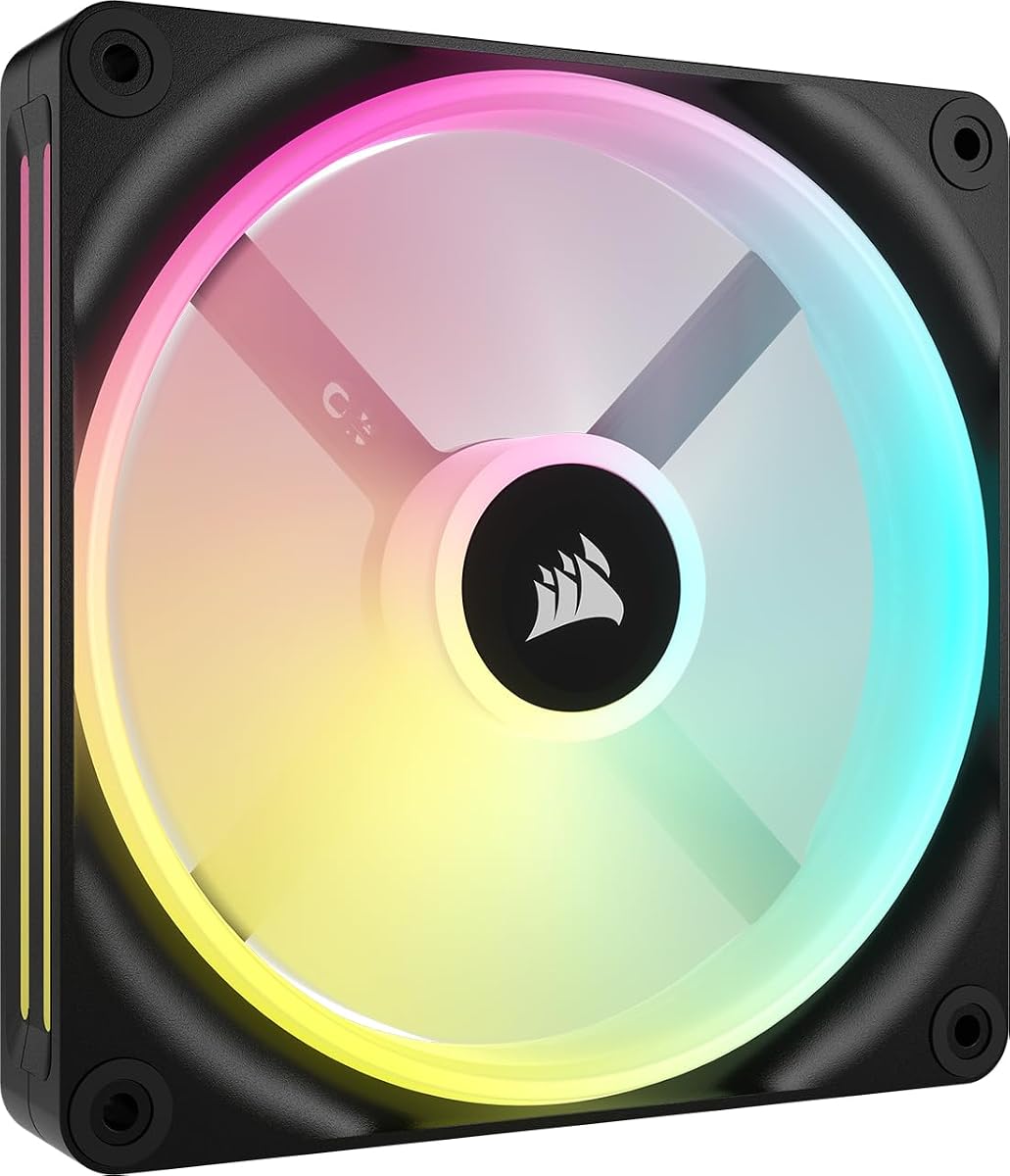


This triple pack offers a compelling balance of performance and affordability for builders looking to upgrade airflow without overspending. With a strong rating from users it delivers reliable cooling and sleek aesthetics for most standard PC cases.
We may earn a commission when you buy through this link, at no additional cost to you.
The daisy-chain design significantly reduces cable clutter by allowing multiple fans to connect through a single PWM and ARGB header. AirGuide technology directs air efficiently toward hot components while the magnetic dome bearing ensures smooth low noise operation even at high speeds.
While it lacks some of the advanced ecosystem features found in iCUE Link models the fan performs admirably for standard air cooling setups. You will need a compatible motherboard to fully utilize the ARGB lighting which may be a minor limitation for some users.
Ideal for budget conscious gamers and enthusiasts who prioritize performance and visual appeal this pack is a top choice for intake or exhaust positions. It provides solid value and dependable thermal management for a wide range of system configurations.
The unique daisy-chain design allows you to connect multiple fans with a single header reducing internal clutter significantly.
Anti-vortex vanes direct airflow toward critical components for more effective cooling where it is needed most.
We may earn a commission when you buy through this link, at no additional cost to you.
This triple pack stands out as an excellent choice for users seeking a fully integrated ecosystem with minimal wiring hassle. It comes with the iCUE Link System Hub enabling instant plug-and-play functionality across all your compatible devices.
We may earn a commission when you buy through this link, at no additional cost to you.
Dual light loops create stunning visual effects that can be synchronized with your entire setup through iCUE software. The fans deliver strong cooling performance with high static pressure ideal for radiators and the magnetic dome bearing ensures quiet reliable long term operation.
The primary trade-off is the higher price point compared to traditional fan kits. However the convenience of the bridge connectors and included hub often justifies the expense for those building high end systems focused on aesthetics and simplicity.
For premium builds requiring top tier airflow control and lighting customization this kit is highly recommended. It simplifies installation while delivering excellent thermal performance and a polished look that elevates any system design.
The bundle includes a System Hub allowing you to connect multiple devices with a single cable for a clean build.
Distributing LEDs across two loops provides more immersive and customizable lighting effects for your case.
We may earn a commission when you buy through this link, at no additional cost to you.
This triple pack features a reverse rotor design that ensures the RGB ring is fully visible even when fans are mounted as intakes. The white colorway makes it a perfect match for light themed builds where visual consistency is key.
We may earn a commission when you buy through this link, at no additional cost to you.
Users praise the seamless lighting effect that eliminates the unsightly motor housing on the front of the fan. Performance is robust with solid airflow and static pressure suitable for standard cooling setups and the daisy-chain system keeps cabling tidy.
While white products often carry a premium price this pack offers a competitive price point relative to other reverse fans. The main limitation is the need for a motherboard compatible with +5V ARGB to control the lighting fully.
Recommended for builders prioritizing aesthetics and clean visual integration in white systems. It offers excellent value for those needing high quality reverse fans without compromising on performance or lighting quality.
The motor housing is on the back allowing the RGB ring to face forward for uninterrupted lighting effects.
Designed to push air through obstructions effectively making it suitable for radiator or dense intake mounting.
We may earn a commission when you buy through this link, at no additional cost to you.
The black version of the RS120-R ARGB brings the same reverse rotor benefits to dark themed systems. It ensures the RGB lighting remains unobstructed and visually pleasing when mounted on the front of your case.
We may earn a commission when you buy through this link, at no additional cost to you.
Build quality is solid with a focus on reducing noise and maximizing airflow efficiency. The reverse design is a significant upgrade over standard fans for those who want both performance and looks without extra adapters.
Performance remains consistent with its white counterpart delivering reliable cooling for everyday workloads and gaming. You may find it slightly cheaper than the white variant but otherwise the features and specs are identical.
This is the ideal choice for black builds seeking a premium look with high performance. It seamlessly blends aesthetics and cooling power for a polished professional system design.
The motor sits behind the frame allowing the front to look clean and uninterrupted from the outside.
Anti-vortex vanes help direct air efficiently to maximize cooling performance in tight spaces.
We may earn a commission when you buy through this link, at no additional cost to you.
This 140mm single fan leverages iCUE Link technology to provide a streamlined approach to cable management and RGB control. It is perfect for systems needing larger fans for improved static pressure and lower noise.
We may earn a commission when you buy through this link, at no additional cost to you.
The Time Warp lighting mode creates exclusive visual effects that stand out in dark environments. With a robust magnetic dome bearing it runs smoothly and quietly even when spinning at higher speeds to maintain cooling efficiency.
Note that the System Hub required for full functionality is sold separately for single fan purchases. However if you are already invested in the ecosystem this fan integrates effortlessly and offers superior airflow to smaller models.
Recommended for enthusiasts prioritizing quiet operation and large form factor cooling. It provides exceptional air movement and flexibility for those aiming to build a highly optimized and efficient system.
Access unique visual effects like Time Warp when connected to the iCUE Link System Hub for customization.
Magnetic Dome bearing technology ensures smooth operation with minimal noise across all RPM levels.
We may earn a commission when you buy through this link, at no additional cost to you.
This kit combines reverse rotor aesthetics with iCUE Link convenience making it a top contender for modern system builders. The reverse design ensures the RGB ring is always visible for a cleaner look from the front.
We may earn a commission when you buy through this link, at no additional cost to you.
Dual light loops provide vibrant lighting effects while the magnetic dome bearing maintains quiet operation. Included QuikTurn screws simplify installation significantly reducing setup time and effort during case assembly.
Performance is strong with high static pressure suitable for radiators or front intake mounting. Just ensure you have the required System Hub to access the full range of connectivity features included in the pack.
Ideal for premium builds needing both performance and aesthetics. It offers a refined installation experience and robust cooling performance for demanding gaming or workstation setups.
QuikTurn screws are included to make mounting the fans quicker and easier than standard options.
LEDs spread across two loops create a more immersive and detailed lighting experience.
We may earn a commission when you buy through this link, at no additional cost to you.
This thick fan offers exceptional airflow capacity while maintaining low noise levels due to its ability to spin slower. The 5mm thickness allows for larger blades and better performance compared to standard 25mm fans.
We may earn a commission when you buy through this link, at no additional cost to you.
Ideal for high-density radiators or cases with limited clearance on the rear or bottom. The windowed frame lets you view the lighting from the side for a unique visual appeal when integrated properly.
The iCUE Link system ensures clean cable management and easy synchronization with other devices. While it may not fit every case due to the thicker profile it is perfect for optimized cooling setups requiring high pressure.
Recommended for enthusiasts needing maximum performance per RPM without excessive noise. It excels in tight spots where high pressure is necessary to push air through dense components.
The thicker fan moves more air at lower speeds for high efficiency and reduced acoustic noise.
A built-in window allows for side viewing of the RGB effects adding depth to your build.
We may earn a commission when you buy through this link, at no additional cost to you.
Built with Liquid Crystal Polymer this thick fan offers superior durability and rigidity compared to standard plastic options. Its increased thickness enhances performance by allowing larger blades and more efficient airflow movement.
We may earn a commission when you buy through this link, at no additional cost to you.
The AirGuide technology directs air precisely where needed to maximize cooling on hot components. With high static pressure it is well suited for radiator use or pushing air through dense case filters and grilles.
While the extra thickness may limit fitment in some tight cases it provides significant performance gains for compatible setups. Users appreciate the build quality and the noticeable reduction in vibration during operation.
Ideal for demanding cooling setups requiring robust airflow and resistance to flex. It delivers reliable performance and exceptional durability for long term use in high stress environments.
Liquid Crystal Polymer ensures the blades stay rigid and strong under high speed stress and pressure.
AirGuide vanes channel air efficiently for better thermal results without increasing noise levels.
We may earn a commission when you buy through this link, at no additional cost to you.
This 140mm fan provides impressive airflow with a focus on quiet and efficient performance. The iCUE Link connectivity simplifies cable management and enables synchronized lighting across your entire system.
We may earn a commission when you buy through this link, at no additional cost to you.
The windowed frame enhances aesthetics by allowing side viewing of the RGB effects making it a great choice for tempered glass cases. White coloring ensures a cohesive look for light themed builds without compromising performance.
While it requires the System Hub for full features the fan itself is a high performer in its own right. It is excellent for systems needing a large intake or exhaust without the noise of older models.
Recommended for premium builds prioritizing aesthetics and silent operation. It offers high performance airflow and a polished look that fits seamlessly into modern case designs.
Delivers exceptional airflow and static pressure suitable for demanding cooling tasks and radiators.
Integrates with iCUE Link to streamline wiring and synchronize lighting across devices easily.
We may earn a commission when you buy through this link, at no additional cost to you.
This renewed starter kit offers a cost effective way to enter the iCUE Link ecosystem with two fans and the required hub included. It is an attractive option for builders wanting full connectivity without buying components separately.
We may earn a commission when you buy through this link, at no additional cost to you.
The kit provides all the standard benefits of the QX series including smooth magnetic bearing operation and vibrant RGB effects. While renewed items may show minor cosmetic wear they are typically inspected and certified for reliable performance.
Ideal for those looking to test the platform before committing to a larger purchase or needing a quick upgrade. The included hub removes the biggest hurdle for new users wanting to simplify their cable management.
A smart choice for budget conscious buyers seeking premium features. It delivers excellent value and functionality for systems needing a clean and organized setup with strong airflow and lighting.
Includes the System Hub and two fans giving you everything needed to start building your iCUE Link setup.
Optimized for cost savings while maintaining standard performance and quality checks for reliability.
We may earn a commission when you buy through this link, at no additional cost to you.
Selecting the right case fans requires considering size compatibility cooling performance and aesthetic features to match your build needs.
Measure your case openings carefully before purchasing to ensure the fans fit without obstruction. Standard sizes include 120mm and 140mm but check clearance especially for thicker models.
Always verify your case supports the chosen fan dimensions to avoid mounting issues during assembly.
High airflow fans are best for intake and exhaust where air resistance is low while high static pressure is better for radiators or filters.
Choose based on your mounting location to ensure optimal cooling performance for your specific configuration.
Consider whether you need standard RGB or addressable ARGB for better customization and effects. Also check if your motherboard supports the required control protocol.
Match the lighting type to your existing components to avoid compatibility issues during setup.
Look for daisy-chain or iCUE Link options to reduce the number of cables connected to your motherboard. This keeps your interior clean and simplifies assembly.
Ecosystem features can greatly improve ease of use and overall system organization.
Bearing types like Magnetic Dome or hydrodynamic bearings contribute to quieter operation and longer lifespan. Check decibel ratings if you prioritize silence.
Higher quality bearings usually mean less noise and more reliable long term performance.
PWM fans allow precise speed control via headers which helps optimize balance between noise and performance. This is standard for most modern systems.
Ensure your motherboard headers support PWM to fully utilize these features.
Match the fan color to your case and components for a cohesive look. Black and white are the most common but other options exist.
Aesthetic choices matter most for builds visible through glass panels or open frames.
Buying triple packs or kits often saves money compared to individual fans. However single units provide flexibility for specific placements.
Choose based on whether you need to fill multiple spots or just one.
Install the fans securely using the provided screws to avoid vibration or rattling sounds. Ensure airflow direction aligns with intake and exhaust requirements for your case.
Connect RGB and PWM cables according to the manual. Use daisy-chain connectors if available to reduce cable clutter in your system.
Regularly dust the fan blades with a soft brush or compressed air to maintain efficiency and noise levels. Avoid spinning the blades too fast during cleaning to protect bearings.
Yes. Corsair fans are standard 4-pin PWM or 3-pin ARGB so they work with most motherboards. You may lose proprietary software control but basic PWM and RGB functionality remain intact.
iCUE Link simplifies connections by using bridge cables instead of multiple headers. The hub is required for full software control but basic functionality works even without it.
Reverse fans hide the motor and cables on the back side so the RGB ring is fully visible from the front. This provides a much cleaner look for intake fans in cases with glass panels.
Turn off and unplug the PC before cleaning. Use compressed air or a soft brush to remove dust. Avoid spinning blades excessively with air to prevent damaging internal bearings.
140mm fans move more air at lower speeds for quieter cooling but require more space. 120mm are more common and fit tighter spaces while still offering strong performance.
Higher costs come from features like iCUE Link, dual loops, thicker designs, or better bearings. Premium models offer more control and silence while basic fans provide value.
Use the provided bridge or connector cables to link fans in a chain. Connect the first fan to the motherboard header. This reduces the number of cables required.
Certified renewed items are inspected and tested for function. They offer significant savings but may have minor cosmetic imperfections. Check return policies before buying.
These ten Corsair fans represent top options for performance aesthetics and ease of use across different build types. Whether you choose a standard ARGB pack or advanced iCUE Link kits there is a model to suit your needs.
Focus on size compatibility and mounting requirements first before evaluating features like RGB or airflow capacity. Prioritizing noise and cooling balance will help you create a reliable and efficient system.
Prices and availability can vary so double check current listings on the retailer site before buying. Stay tuned for future updates as new models and technologies are released regularly.