
Canon imageCLASS LBP6030w
3.8Editor score
Compact space-saving design
Wireless connectivity support
Low energy consumption
This guide compares the top ten laser printers with cheap toner options to help you find the most affordable and reliable printing solution for your needs.
Finding a laser printer with cheap toner is essential for home offices and small businesses aiming to reduce long-term costs. Modern devices offer speed and connectivity while maintaining low running expenses through efficient consumable designs.
We evaluated ten top-rated models based on print quality, speed, connectivity, and toner cost efficiency. Our analysis highlights which machines deliver the best value over time without sacrificing performance or reliability for daily tasks.
Each pick showcases key strengths and trade-offs to help you decide which printer fits your workflow. Please note that prices and availability change frequently, so check current listings before making your final purchase decision today.
3.8Editor score

4.1Editor score

4.3Editor score
The following table provides a side-by-side comparison of all ten models to help you quickly identify key specifications and features that matter most for your printing needs.





The Brother HL-L2405W is a top pick for those seeking a reliable laser printer with cheap toner options. It offers sharp print quality and fast speeds suitable for home offices and small teams.
We may earn a commission when you buy through this link, at no additional cost to you.
Its dual-band wireless ensures stable connections while the Brother Mobile Connect app simplifies mobile printing. The optional Refresh subscription helps manage toner costs effectively without surprise expenses.
While it lacks automatic duplex printing, the manual double-sided option still saves paper. The compact footprint fits easily on desks without sacrificing the 250-sheet paper capacity.
This model is ideal for users who need consistent output and low running costs. Its strong support network and warranty provide peace of mind for long-term daily use.
The Brother Mobile Connect app allows you to monitor toner levels and order supplies directly from your phone for uninterrupted workflow.
The Refresh EZ Print Subscription Service offers savings on genuine toner and ensures you never run out unexpectedly during critical work moments.
We may earn a commission when you buy through this link, at no additional cost to you.
The Canon imageCLASS LBP6030w stands out as an affordable entry point for laser printing with low toner costs. It is designed for basic document printing needs in home environments.
We may earn a commission when you buy through this link, at no additional cost to you.
Its wireless connectivity allows flexible placement while the energy saver mode keeps power consumption minimal. The 125 toner cartridge provides a decent yield for light to moderate use.
While print speeds are moderate, it handles everyday tasks efficiently. The lack of duplex printing means manual flipping is required but this keeps the device simple and budget-friendly.
Choose this if you prioritize low initial investment and small space usage. It is a solid choice for students or individuals needing occasional high-quality black and white prints.
The compact form factor makes this printer ideal for tight desk spaces while still delivering professional-looking document output consistently.
Setting up wireless printing is straightforward ensuring you can print from compatible devices without needing complex network configurations.
We may earn a commission when you buy through this link, at no additional cost to you.
The Brother MFC-L2820DW is a robust all-in-one solution for businesses needing speed and versatile functionality with low toner costs. It combines printing scanning copying and faxing efficiently.
We may earn a commission when you buy through this link, at no additional cost to you.
The touchscreen simplifies navigation while the 50-page automatic document feeder saves time on multi-page tasks. Its TN830 toner options ensure affordable ongoing operation for high volume needs.
While it costs more upfront the productivity gains justify the investment. The compact design for an all-in-one unit ensures it fits well even in smaller professional environments.
This printer suits users who need advanced features without compromising on running costs. It delivers professional results and seamless mobile integration for modern office workflows.
The 50-page ADF automates multi-page scanning and copying reducing manual effort and speeding up workflow significantly for busy offices.
Connect directly to cloud apps like Dropbox and Google Drive for streamlined document management without needing a computer intermediary.
We may earn a commission when you buy through this link, at no additional cost to you.
The Canon imageCLASS MF3010 VP offers excellent value with its high toner yield and basic multifunction features. It is ideal for users who prefer wired stability over wireless convenience.
We may earn a commission when you buy through this link, at no additional cost to you.
The included 2300-page toner provides immediate cost savings while the USB connection ensures consistent performance. Its color scanning capability adds versatility for document management.
While it lacks wireless features the simplicity reduces potential connectivity issues. The ID card copy function is particularly useful for small offices needing quick identification copies.
This model is perfect for static workstations where wired connections are preferred. Its energy saver mode ensures low power usage during inactive periods.
The substantial toner yield reduces replacement frequency making it economical for offices printing large volumes of text documents daily.
Color scanning at 600 dpi captures clear images suitable for archiving and digital sharing of important documents efficiently.
We may earn a commission when you buy through this link, at no additional cost to you.
The Brother HL-L2460DW delivers rapid output with automatic duplex printing making it ideal for high-volume environments seeking cheap toner solutions. Its wireless features enable flexible placement.
We may earn a commission when you buy through this link, at no additional cost to you.
The 36ppm speed ensures quick completion of jobs while the 250-sheet tray reduces reload frequency. Brother's mobile app enhances management and ordering convenience significantly.
While it lacks a touchscreen the control remains intuitive. The automatic duplex saves paper costs and aligns with eco-friendly practices effectively.
Choose this for busy offices needing fast and efficient single-function printing. Its reliability and speed make it a strong candidate for daily heavy use.
Automatic double-sided printing reduces paper usage and waste automatically supporting both cost-saving and sustainability goals in the office.
Dual-band wireless ensures stable connections reducing interruptions during peak printing times for uninterrupted productivity.
We may earn a commission when you buy through this link, at no additional cost to you.
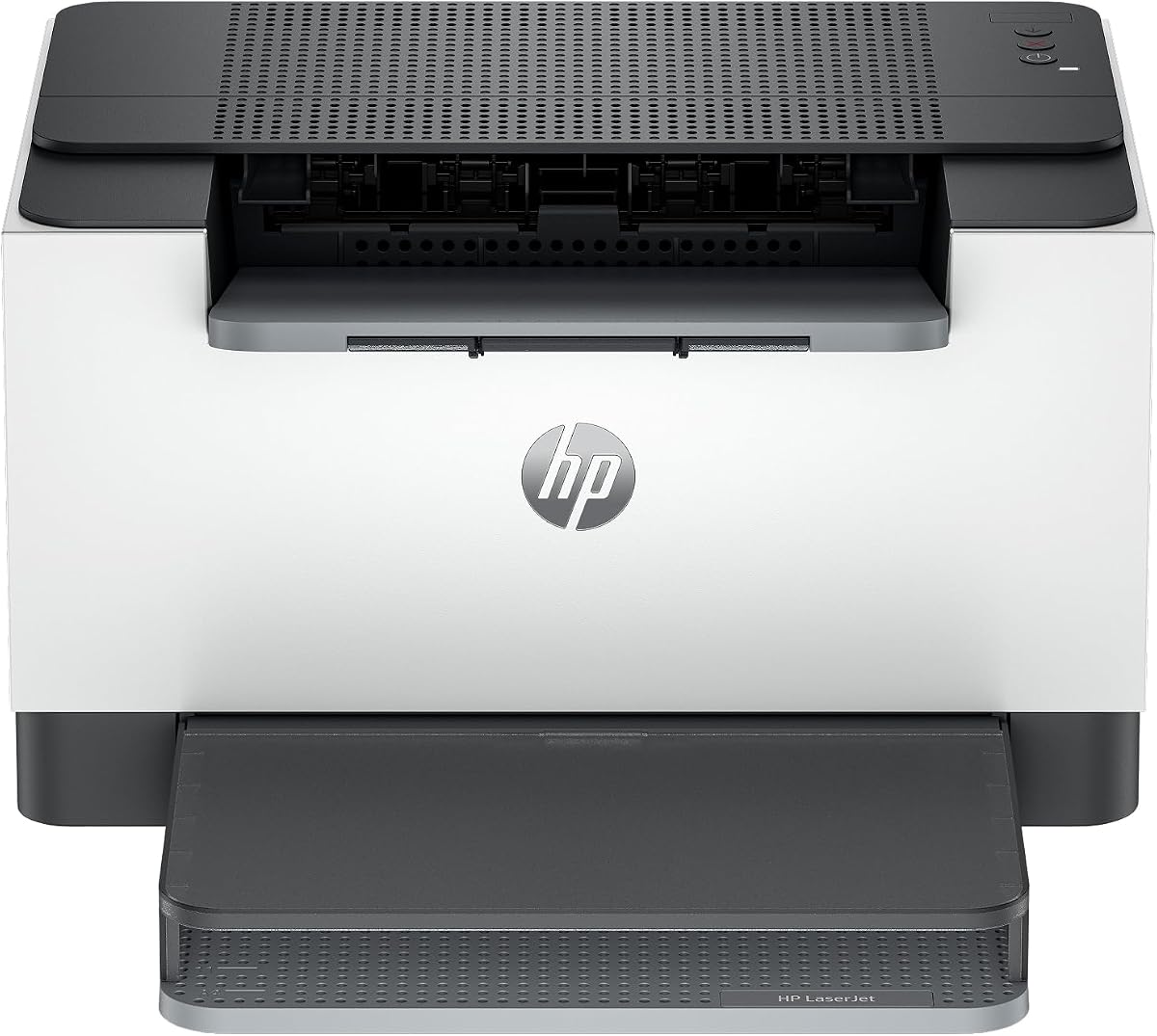
The HP LaserJet M110w is designed for small teams needing reliable compact printing with reasonable toner costs. Its simple setup makes it ideal for quick deployment.
We may earn a commission when you buy through this link, at no additional cost to you.
Wireless connectivity supports mobile printing from various devices ensuring flexibility. The HP Smart app streamlines repetitive tasks for easier operation.
While it lacks duplex printing the speed compensates for small volumes. The chip security ensures consistent performance with genuine cartridges but may limit third-party options.
This model is perfect for startups or home offices requiring minimal footprint and reliable output. Its speed and connectivity features support agile work environments effectively.
The HP Smart app reduces repetitive steps enabling quick scans to cloud and prints from smartphones for enhanced mobility.
The smallest laser in its class fits easily on tight desks while delivering professional quality prints consistently.
We may earn a commission when you buy through this link, at no additional cost to you.
The HP LaserJet M209dw offers fast two-sided printing and wireless convenience ideal for small teams seeking efficiency and low toner costs. It balances speed and reliability well.
We may earn a commission when you buy through this link, at no additional cost to you.
Its dual-band Wi-Fi with self-reset minimizes downtime while Instant Ink eligibility simplifies supply management. Security features protect your printer from network threats.
The fast two-sided speed is a key advantage for double-sided documents. However the subscription model may not suit users who prefer buying cartridges independently.
Choose this for modern offices needing speed and security without complex setups. Its performance supports professional document printing with minimal interruption.
Industry-leading two-sided print speeds ensure rapid turnaround for reports and presentations without compromising quality.
Advanced security features help protect your printer from attacks ensuring safe and reliable network operation.
We may earn a commission when you buy through this link, at no additional cost to you.
The Canon imageCLASS LBP122dw combines fast duplex printing with a compact design making it suitable for cost-conscious users. It delivers consistent monochrome output efficiently.
We may earn a commission when you buy through this link, at no additional cost to you.
Its wireless capabilities and high-speed output reduce wait times while the 071 toner offers reasonable yield. The compact fit ensures it fits easily in limited spaces.
Although it lacks scanning features the print quality and speed are strong. The low power usage aligns with energy efficiency goals for everyday printing.
This model fits home offices or individuals needing rapid double-sided printing. It balances functionality and size well for basic professional document needs.
Automatic double-sided printing saves paper and ensures professional presentations without manual intervention during job execution.
The space-saving footprint and wireless connectivity provide flexibility for placement while maintaining high-quality output standards.
We may earn a commission when you buy through this link, at no additional cost to you.
The HP LaserJet MFP M235sdw is a versatile all-in-one device designed for small offices needing scanning and copying alongside printing. It delivers fast duplex output efficiently.
We may earn a commission when you buy through this link, at no additional cost to you.
Ethernet connectivity ensures stable network presence while the dual-band Wi-Fi supports mobile devices. Security features protect sensitive documents from unauthorized access.
Although it lacks a touchscreen the controls are straightforward. The multifunction design consolidates devices saving space and simplifying office setups effectively.
Choose this for professional environments needing reliable scanning and printing with low costs. Its speed and security features support efficient workflows.
Included Ethernet port ensures consistent network connectivity for reliable printing in shared office environments.
Combine printing scanning and copying in one device reducing clutter and simplifying daily office tasks efficiently.
We may earn a commission when you buy through this link, at no additional cost to you.
The Brother HL-L2480DW is a top-rated all-in-one laser printer offering speed versatility and affordable toner. It combines printing scanning copying and mobile support seamlessly.
We may earn a commission when you buy through this link, at no additional cost to you.
Its touchscreen simplifies navigation while the dual-band wireless ensures consistent connectivity. The TN830 toner provides excellent yield and cost efficiency for high volume tasks.
Though the subscription service is optional it offers significant savings. The compact footprint for a multi-function device ensures it fits well in modern home offices.
Select this for users wanting high performance with minimal footprint. It delivers professional quality and ease of use for diverse document needs.
Rapid 36ppm speeds handle large jobs quickly reducing wait times and improving overall productivity for busy teams.
A user-friendly touchscreen enables quick navigation through settings and cloud apps for streamlined operation.
We may earn a commission when you buy through this link, at no additional cost to you.
Choosing the right printer involves balancing upfront cost with ongoing toner expenses. Consider these factors to maximize value and performance.
The cost per page depends largely on toner yield. Look for cartridges that offer higher page counts as these reduce frequency of replacements. Genuine toner often ensures quality but third-party alternatives can be cheaper if compatible.
Always check standard and high-capacity options when selecting a printer to estimate long-term costs accurately.
Faster print speeds reduce wait times especially when printing large documents. Consider your average document volume to choose a suitable speed. Business needs typically require 30ppm or more.
Match speed to your workflow needs to avoid bottlenecks during peak work hours.
Modern printers offer wireless Ethernet and mobile printing options. Wireless connectivity enables flexible placement while Ethernet ensures stable connections. Choose options compatible with your network setup.
Ensure the printer supports your devices operating systems and mobile apps for seamless integration.
Multifunction printers include scanning and copying features which save space and money. Single-function models are often cheaper upfront but lack added versatility. Decide if you need to scan documents regularly.
Multifunction models can consolidate devices reducing clutter in small office spaces.
Larger paper trays reduce the frequency of refills. Consider your typical print volume when choosing tray capacity. Models with manual feed slots offer more flexibility with specialty paper.
Choose a tray size that matches your monthly print demand to avoid interruptions.
Automatic duplex printing saves paper and reduces costs over time. Manual duplex requires user intervention which slows workflow. If double-sided prints are common prioritize models with auto-duplex.
This feature is essential for eco-friendly and cost-saving office practices.
Some brands offer toner subscription services that deliver supplies automatically at discounted rates. These can lower costs and prevent stockouts but may lock you into a specific brand. Evaluate if the savings justify the commitment.
Consider your printing consistency to determine if subscriptions offer real savings.
Reliable warranty and customer support ensure minimal downtime if issues arise. Look for extended warranty options or responsive service teams. Check online reviews regarding service quality.
Strong support adds value beyond initial purchase and protects your investment.
Start by reading the setup guide to ensure correct installation. Connect the printer to your network using USB or Wi-Fi following on-screen prompts. Test a print page to verify connectivity and quality.
Use genuine or compatible toner cartridges to maintain quality and warranty. Keep the printer clean by removing dust and paper debris regularly. Store cartridges in cool dry places before installation.
Update firmware periodically for security and performance improvements. Use energy saver modes to reduce power consumption during idle times. Schedule regular maintenance checks to prevent jams and ensure longevity.
Third-party toner cartridges can be safe and cost-effective if they are compatible with your printer model. However some manufacturers may restrict their use. Always check warranty terms and user reviews before purchasing.
Cost per page varies depending on toner yield and price. Typically laser printers range from 2 to 5 cents per page. High yield cartridges reduce this cost significantly over time.
Resetting depends on the model. Some printers auto-detect new cartridges while others require manual reset through the menu. Consult your user manual for specific reset instructions.
Most modern laser printers support wireless mobile printing via apps or AirPrint. Ensure your printer and device are on the same network. Check compatibility lists provided by the manufacturer.
Yes automatic duplex printing saves paper and money especially for regular document printing. It reduces waste and streamlines workflow. Manual duplex is possible but slower and more prone to errors.
Clean the printer every few months to prevent dust buildup. Use lint-free cloths and avoid harsh chemicals. Regular cleaning maintains print quality and extends the printer's lifespan.
Poor quality often results from dirty rollers or low toner. Clean the internal components and replace toner if needed. Updating drivers and running test pages helps resolve common issues.
Most modern printers support Mac OS via AirPrint or dedicated drivers. Check system requirements before purchase. Compatibility is typically listed on the manufacturer's product page.
We highlighted ten excellent laser printers balancing performance with low toner costs. From budget-friendly options to premium multifunction devices each offers unique benefits.
Prioritize your specific needs such as speed connectivity and capacity when choosing. Long-term savings often outweigh initial price differences.
Always check current prices and availability as they change frequently. Selecting the right model ensures efficient reliable printing for years to come.